

Beh.Stitched
Christian Behrenbruch · Graphics & Design
Independent analytics for this App Store listing. AppTracker is not affiliated with Christian Behrenbruch.
Chart standing · US
What changed · US
Listing changes AppTracker has observed for this app in this storefront — new versions, price moves, rating shifts, and store copy.
• Optional account: link your verified purchase and use the licence on iPad, Windows and Mac. Designs stay on your device. • Multicolour line import and Redwork. Smoothing follows the centre of each stroke; remove image noise before importing. • Font favourites and stitch mode per font: centreline or outline satin, fill or Automatic. • Patch outlines with a preview around the design, arrangements around a pivot and a width control for freehand satin. • Light appearance, revised side panels and number fields. The image-import colour list uses the available space; parameter-matrix values are readable again.
In-app purchases · US
What this app sells inside itself, grouped by kind and priced for this storefront.
Screenshots



About
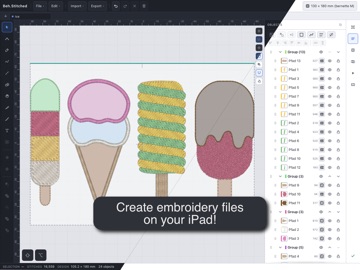
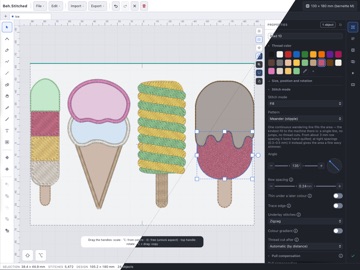
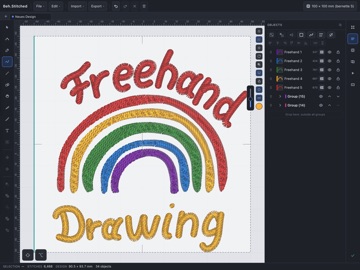
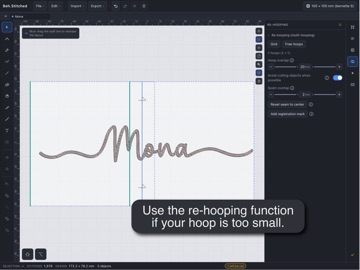
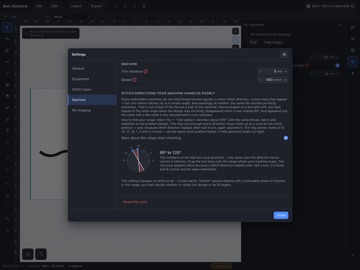
Beh.Stitched creates embroidery files on iPad. Import an image, draw with Apple Pencil or edit your own shapes. Choose satin, fill, running stitch or appliqué and check the stitching sequence before exporting. Your designs stay on your device. Images and lines • Import PNG/JPG as colour areas, running-stitch lines or multicolour Redwork; import SVG and DXF as vector shapes. • Adjust colours, smoothing and simplification before importing. Line mode can remove faint image artefacts. • Create Redwork from existing lines. Each segment is stitched twice; disconnected parts keep their jumps. The lines remain editable. Drawing and stitches • Edit nodes and curves, join open ends, split or unite shapes. • Draw freehand satin and adjust its width beside the tool. • Ten fill patterns, including tatami, contour, meander and herringbone. Multiple fill angles, guide curves and two-colour gradients. • Set underlay, pull compensation and stitch spacing; remove hidden fill beneath later colours. • Repeat objects along a path, on a grid or around a chosen pivot. Lettering and appliqué • Load your own TTF/OTF fonts and mark favourites. • Choose centreline satin, outline satin or fill. The choice is remembered per font. Automatic mode selects fill for complex fonts and at heights of 18 mm or more. • Put text on paths; set font height and tracking. • Appliqué with placement, tack-down and cover stitches, plus pauses for the fabric. Adjust patch outlines with a visible preview. Checks, hoops and films • View the stitching sequence, jumps and colour changes; display density in colour. • Split large designs across several hoops, with registration marks and seam overlap. • Play the stitching sequence as thread or lines on a colour, fabric or photo background. With a licence, save MP4 or PNG to Files or Photos. • Choose light, dark or system appearance. Files Export DST, EXP, PES, JEF, VP3, XXX and TAP, plus SVG and DXF. Edit finished DST, EXP, PES, JEF and TAP files. Print a colour card and worksheet. Exchange projects between iPad, Windows and Mac. DST, EXP, PES, JEF, VP3 and XXX were read and stitched on a bernette b70. Exports have not been fully tested on other machines. TAP was checked against reference software; a stitch test on a Happy machine is still pending. Try and buy Drawing, project saving and preview are free. Each Apple Account gets five free machine exports once, shared across its iPads. These require internet access and iPadOS 16.3 or later. After that, you need a personal or commercial licence as a one-time purchase. Personal use means no income from embroidery files or embroidered goods. The commercial licence allows use with income and includes batch export of all machine formats. SVG/DXF and saving films or pictures require a licence. An active personal licence gives you the upgrade option for the additional price. Optional account Link a verified purchase and use the licence on iPad, Windows and Mac. Sign in with an email code. Personal licences allow three computers, commercial licences five. Your own iPads do not use computer places; shared account access uses the same Apple Account. Manage devices or delete your account in Settings. Existing licensing methods remain available without an account. Privacy No tracking or design cloud. Images, filenames and stitch data are not sent to our server. For the free export allowance, we store a derived account identifier and usage. The optional account manages sign-in, linked purchases and devices.
What's new · 1.0.11
• Optional account: link your verified purchase and use the licence on iPad, Windows and Mac. Designs stay on your device. • Multicolour line import and Redwork. Smoothing follows the centre of each stroke; remove image noise before importing. • Font favourites and stitch mode per font: centreline or outline satin, fill or Automatic. • Patch outlines with a preview around the design, arrangements around a pivot and a width control for freehand satin. • Light appearance, revised side panels and number fields. The image-import colour list uses the available space; parameter-matrix values are readable again.
Details