

DDownload: Cloud Storage
DUCKIER INTERACTIVE - FZCO · Productivity
Independent analytics for this App Store listing. AppTracker is not affiliated with DUCKIER INTERACTIVE - FZCO.
Chart standing · US
What changed · US
Listing changes AppTracker has observed for this app in this storefront — new versions, price moves, rating shifts, and store copy.
• Minor improvements to the Ultimate purchase screen. • Stability fixes.
In-app purchases · US
What this app sells inside itself, grouped by kind and priced for this storefront.
Screenshots




About
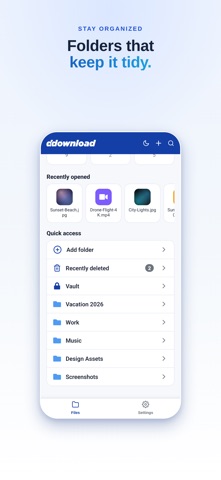
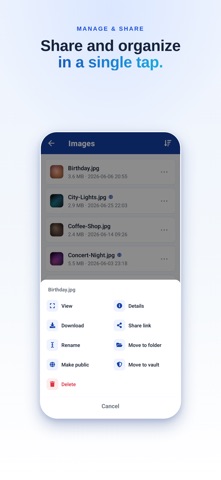
DDownload: Cloud Storage gives you a secure personal cloud for all your files. Upload photos, videos, documents and more from your device, then reach them from anywhere. FEATURES - Secure cloud storage for any file type - Upload directly from your phone or tablet - Organize your files into folders - Preview images and videos right in the app - Fast, reliable access to your data anywhere - Share a file with a private link whenever you choose - Keep a safe backup of the files that matter ULTIMATE Upgrade to Ultimate for more storage space, faster transfers and much more. Your data stays yours. We never sell your personal information. Questions? Our support team is here to help. SUBSCRIPTIONS DDownload Ultimate and Backup Storage are auto-renewable subscriptions. - Ultimate: 1 month, 3 months or 12 months - Backup Storage: 500 GB, 2 TB or 10 TB, as a 1-month or 12-month plan The price of each plan is shown in the app and on the App Store before you confirm your purchase. Payment is charged to your Apple Account. The subscription renews automatically at the end of every period unless you turn off auto-renew at least 24 hours before the period ends. You can manage or cancel your subscription at any time in your Apple Account settings in the App Store. Terms of Use (EULA): https://www.apple.com/legal/internet-services/itunes/dev/stdeula/ Privacy Policy: https://ddownload.com/privacy
What's new · 1.0.18
• Minor improvements to the Ultimate purchase screen. • Stability fixes.
Details