

PosterSplit
Kojiro Fujisaka · Graphics & Design
Independent analytics for this App Store listing. AppTracker is not affiliated with Kojiro Fujisaka.
Chart standing · US
What changed · US
Listing changes AppTracker has observed for this app in this storefront — new versions, price moves, rating shifts, and store copy.
Bug Fixes • Improved file access, saved-project reopening, and PDF export stability. • Removed the unavailable camera-capture path from Mac Catalyst. • Additional bug fixes and stability improvements.
Screenshots




About
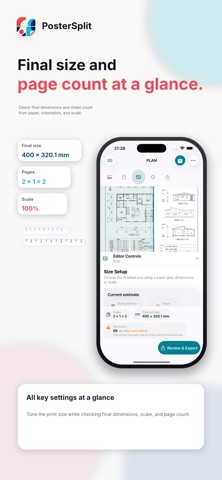
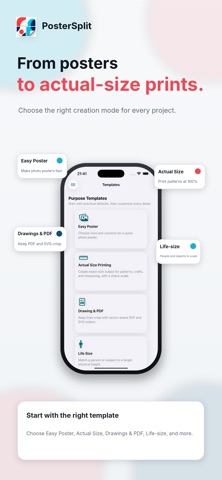
Print bigger with an everyday printer. PosterSplit is an iPhone and iPad app that splits photos, PDFs, and SVG files across multiple sheets to create poster PDFs that are ready to print and assemble. Use it for large posters, full-size patterns, drawings, life-size displays, banners, and more. Choose your source, set the paper, finished size, or scale, preview the page count and layout, then save, share, or print the PDF with AirPrint. 【Key features】 • Import photos, PDFs, SVG files, camera shots, or a built-in sample • Support for A4, US Letter, A3, Legal, Tabloid, B4, A5, B5, A6, and B6 paper • Set the layout by grid, finished size, or scale • Page placement that accounts for margins and overlap • Crop marks, page labels, check lines, and an assembly instruction sheet • Standard and high-quality PDF output • Modes for full-size patterns, drawing PDFs, life-size displays, and banners • Calibration profiles to correct horizontal and vertical printer scaling • Save, duplicate, rename, and revisit projects and export history • Native layouts for both iPhone and iPad • Interface available in 11 languages 【How it works】 1. Choose a photo, PDF, SVG, camera shot, or sample. 2. Select the paper, finished size, and scale. 3. Preview the page count, overlap, and guides. 4. Generate the PDF, then save it to Files, share it, or print with AirPrint. 【PosterSplit Pro】 The free version supports A4 and US Letter. PosterSplit Pro also lets you select A3, Legal, Tabloid, B4, A5, B5, A6, and B6. PosterSplit Pro is a one-time purchase. The actual price is shown by the App Store. 【Privacy】 Source processing and PDF generation happen on your device. There are no uploads to a proprietary server, no ads, and no account registration. Adjust the paper and size for your project, then turn an everyday printer into a way to create something much larger.
What's new · 1.0.5
Bug Fixes • Improved file access, saved-project reopening, and PDF export stability. • Removed the unavailable camera-capture path from Mac Catalyst. • Additional bug fixes and stability improvements.
Details