

Meteor Logger
JOHNNY SCOTT BRATT · Productivity
Independent analytics for this App Store listing. AppTracker is not affiliated with JOHNNY SCOTT BRATT.
Chart standing · US
What changed · US
Listing changes AppTracker has observed for this app in this storefront — new versions, price moves, rating shifts, and store copy.
Added GPS altitude capture to the .csv file data when file is created, created a confirm end session window to prevent accidental ending sessions, changed text box default wording on notes section of capture meteor screen, updated the about page with updated information.
Ratings breakdown · US
The star breakdown behind this app's rating in this storefront.
In-app purchases · US
No in-app purchases.
Screenshots


About
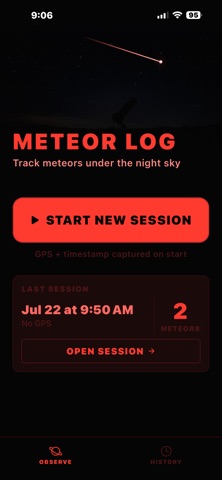
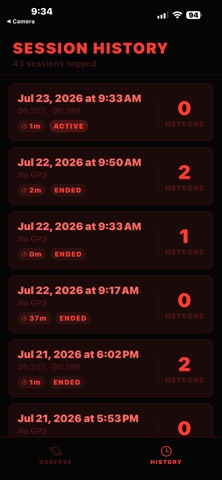
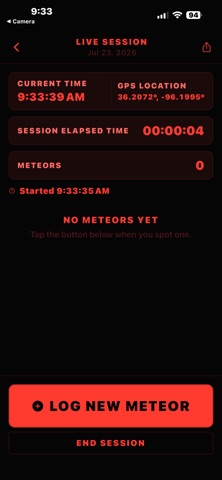
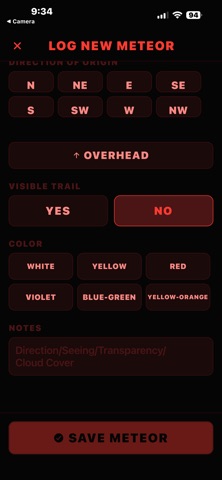
This app allows you to quickly capture the information needed to accurately log a meteor sighting for reporting to Association of Lunar and Planetary Observers (A.L.P.O.), American Meteor Society, and the Astronomical League's Meteor Observing Program Certificate Award. The program will capture the session date, time, and GPS coordinates from your device and create a log file that includes that information and begin a timer that will capture the length of time your session has been running. When you press the "Log New Meteor" button the file will log the date and time of the button press and change to a screen that will let you select the details about the meteor, plus a small box for comments where you can include information about cloud cover, seeing conditions, and transparency, and any other information you would like to include. If the meteors are coming at a quick pace and conditions have not changed since the last meteor you can either leave it blank, or simply type or say same. When you press the "Save Meteor" button it will append the data file with your captured information and return to the main screen to begin capturing another meteor. The "Meteors" counter will update the number of entered meteors in this session and give a summary of each meteor listed in this session. When the session is complete (this is important!) simply press the "End Session" text at the bottom of the screen. A standard IOS window will pop us asking you how you would like to save or send this new session file. My preference is to "Save to Files" for easy viewing, retrieval, or import into a spread sheet for easy viewing and external saving or sending of the information. You can choose other options as necessary to send to another person if you prefer. The file is a .csv format txt file that can be viewed directly on your device also. Overall it was designed to be a simple, quick, and effective app for being able to log meteor sightings, especially during a meteor shower.
What's new · 1.2
Added GPS altitude capture to the .csv file data when file is created, created a confirm end session window to prevent accidental ending sessions, changed text box default wording on notes section of capture meteor screen, updated the about page with updated information.
Details