

RingKit: Ringtone Maker
bahtiyar polat · Utilities
Independent analytics for this App Store listing. AppTracker is not affiliated with bahtiyar polat.
Chart standing · US
In-app purchases · US
No in-app purchases.
Screenshots



About
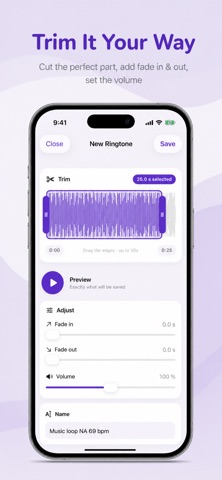
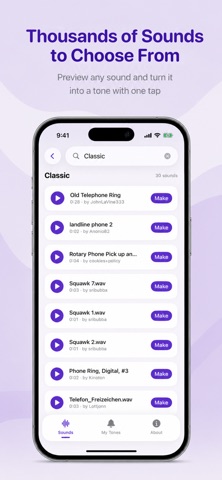
Turn any sound into your ringtone RingKit makes custom ringtones simple. Browse thousands of free sounds, or import your own audio, then trim the perfect moment with a beautiful waveform editor. Tap Share, choose "Use as Ringtone", and it's on your phone. No computer. No cables. No GarageBand tricks. A free sound library, built in Explore twelve hand-picked categories — chimes, melodies, nature, sci-fi, retro, funny sounds and more — or search for exactly what you want. Every sound in the library is free to use, with no strings attached. A trim editor that feels right See the real waveform of your sound and drag the handles to select up to 30 seconds — the maximum iOS allows. Add a fade in and fade out and watch them shape the waveform live as you drag. Preview your selection instantly before you save. Use your own music Import audio from Files or your library and turn any track into a tone. Cut the chorus, the drop, or that one second that makes you smile every time your phone rings. From sound to ringtone in three steps Pick a sound and trim it Tap Save, then Share → "Use as Ringtone" Choose it in Settings › Sounds & Haptics Your saved tones live in the My Tones tab, ready to share, reuse, or set as text tones and alarms too. Setting a ringtone directly from the share sheet requires iOS 26 or later. On earlier versions you can still create, save, and share your tones as audio files.
Details