

Kids Mode - App Blocker
Kyllian,Theo VIGNOCAN · Utilities
Independent analytics for this App Store listing. AppTracker is not affiliated with Kyllian,Theo VIGNOCAN.
Chart standing · US
In-app purchases · US
What this app sells inside itself, grouped by kind and priced for this storefront.
Screenshots

About
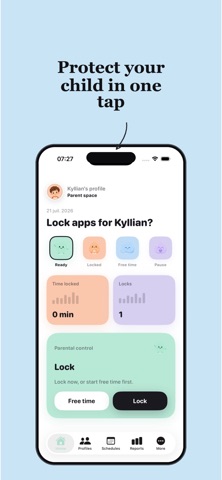
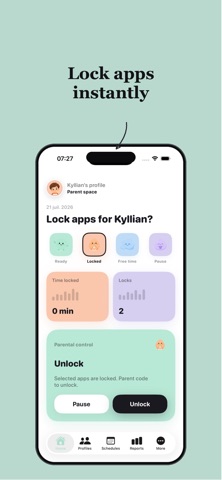
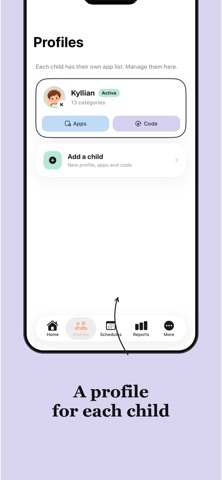
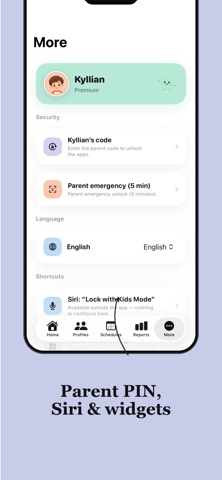
Kids Mode — ultra-simple parental controls for iPhone and iPad. Lock the apps you choose (social, browser, games…) and leave the rest available. One tap is enough. HOW IT WORKS 1. Allow Apple Screen Time 2. Create your child’s profile and pick their apps 3. Lock instantly — or start free time, then auto-lock FEATURES • Multiple children, each with their own apps • Instant lock • Free time then automatic lock • Schedules (evening, homework, and more) • Parent code to unlock • Parent emergency with Face ID • Widget and Siri • Apple system shield (official APIs) PRIVATE AND SECURE Kids Mode uses Apple’s official Family Controls / Screen Time APIs. Your choices stay on device. SUBSCRIPTION Some Premium features require an auto-renewable subscription (monthly or yearly). Any free trial and price are shown in the app before purchase. Cancel in Settings → Apple ID → Subscriptions. Terms: https://kidsmode.monster/terms Privacy: https://kidsmode.monster/privacy EULA APPLE : https://www.apple.com/legal/internet-services/itunes/dev/stdeula/
What's new · 1.0.1
NEW — Fairer freemium • Start free: 1 child, 1 immediate lock per day, unlimited unlocks • Reports and journal stay available on Free • Premium unlocks more: unlimited locks, free time, pauses, schedules, multi-child, widget & Siri • 3-day Premium free trial to try everything risk-free • No more hard paywall: use Kids Mode right away Improvements • Home focused on lock / unlock (metrics live in Reports) • Soft paywall only when you hit a Free limit or tap a Premium feature • If Premium expires, an active lock stays until you unlock voluntarily • Stability and small fixes Thanks for using Kids Mode. Your feedback helps us keep parental controls simple.
Details