

Overcrank: Remote for GoPro
HUSSAM FAZAL HASNAIN · Photo & Video
Independent analytics for this App Store listing. AppTracker is not affiliated with HUSSAM FAZAL HASNAIN.
Chart standing · US
What changed · US
Listing changes AppTracker has observed for this app in this storefront — new versions, price moves, rating shifts, and store copy.
Maintenance update.
Screenshots



About
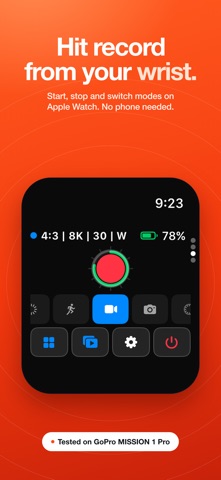
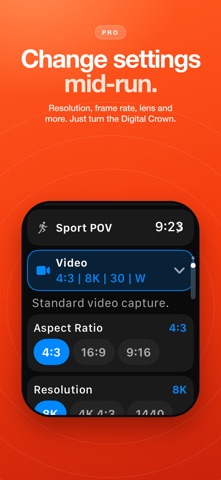
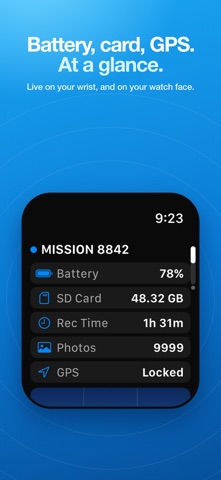
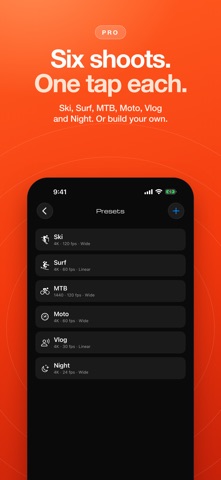
Apple Watch app for GoPro: record, switch modes and check battery and card status from your wrist. Overcrank turns your Apple Watch into a standalone GoPro remote. Recording, mode switching, live status and the camera's own settings sheet all run straight over Bluetooth, with no phone in the loop. Two things do need your iPhone along: the framing preview and the camera's Sub Mode row. Overcrank is an independent app and is not affiliated with, endorsed, or sponsored by GoPro, Inc. GoPro, HERO, and MISSION are trademarks of GoPro, Inc. BUILT FOR MISSION 1 PRO Overcrank speaks the new MISSION 1 series' language, tested on real MISSION 1 Pro hardware: the mode strip (Low Light, Slo-Mo, Sport POV, Video, Photo, Lapse), 8K and 480 fps formats, and deep image settings - Motion Blur, Denoise, Bit Rate and more - mirrored on your wrist exactly the way the camera lays them out. FREE VS PRO Free forever: record control, mode switching, live status and watch-face complications. Pro (one-time purchase, family shareable): deep settings control on iPhone and Watch, presets, live monitor and framing preview, media tools, and multi-cam. No subscription, no account, no analytics. ON YOUR WATCH - NO PHONE NEEDED - Start/stop recording with one tap, with haptic confirmation you can feel through gloves - Switch between Video, Photo, and Timelapse instantly - Jump to Slo-Mo, Low Light or Sport POV in one tap - Change the camera's settings from its own sheet: resolution, frame rate, lens, HyperSmooth, and more, with the Digital Crown - Live status at a glance: battery, SD card, recording time, GPS lock, overheat warnings - Apply any preset already synced to the watch - Tag HiLights while recording - Complications: camera battery and record state on your watch face ON YOUR WATCH - ONLY WITH YOUR IPHONE CONNECTED TO THE CAMERA Your iPhone can stay pocketed and locked, but for these two it has to be with you and joined to the camera's own WiFi: - Framing preview: the camera's view, relayed to the watch by your iPhone - Sub Mode: the camera's sub-mode row, such as Burst Slo-Mo. The watch cannot write this one itself, so it hands the change to your iPhone ON YOUR IPHONE - Live Monitor: see what the camera sees over WiFi at ~30 fps - Media browser: view and manage your SD card without pulling it - Preset library: Ski, Surf, MTB, Moto, Vlog, Night, or build your own, synced automatically to the watch - Multi-Cam: control a whole rig as one, synced record across cameras - Settings browser: every row the camera advertises, read live TRY BEFORE YOU PAIR Demo Mode emulates a MISSION 1 Pro in full - explore every screen and feature before you ever connect a real camera. COMPATIBILITY Built and hardware-tested on the GoPro MISSION 1 Pro. Also designed for GoPro cameras supporting the Open GoPro API (HERO9 Black and later); HERO-family support has not yet been verified on hardware.
What's new · 1.0.4
Maintenance update.
Details