

Freeform Collage
YiRan Niu · Utilities
Independent analytics for this App Store listing. AppTracker is not affiliated with YiRan Niu.
Chart standing · US
What changed · US
Listing changes AppTracker has observed for this app in this storefront — new versions, price moves, rating shifts, and store copy.
Deleting a collage now asks for confirmation first.
Price & rating history · US
Reconstructed from the listing changes AppTracker has observed in this storefront. A field is charted once it has changed more than once, and each line starts at the value it moved from.
Average rating · ★ 4.92 now · 8 changes on record
Ratings breakdown · US
The star breakdown behind this app's rating in this storefront.
In-app purchases · US
No in-app purchases.
Screenshots




About
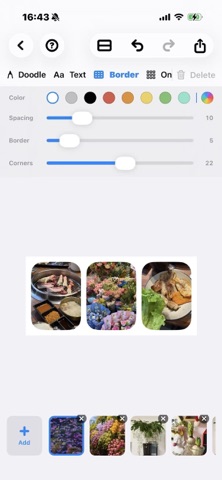
Start with photos from your library, then tap any edge to insert more—left, right, top, or bottom. Your collage takes shape naturally, not from a fixed grid. • Freeform insert: Tap + on any edge to expand your layout in any direction • One-tap layout: Auto-arrange multiple photos in seconds, then fine-tune • Frames & spacing: Adjust borders, corners, and gaps for clean, social-ready looks • Doodle & text: Draw and add text directly on your collage • Photo editing: Crop, rotate, and adjust colors without leaving the app • High-quality export: Save to Photos as JPEG or PNG • Share extension: Send photos from other apps straight into Freeform Collage
What's new · 1.2.11
Deleting a collage now asks for confirmation first.
Details