

CaptionLab: AI Subtitles
Aariz Rasheed · Photo & Video
Independent analytics for this App Store listing. AppTracker is not affiliated with Aariz Rasheed.
Chart standing · US
What changed · US
Listing changes AppTracker has observed for this app in this storefront — new versions, price moves, rating shifts, and store copy.
Explore 16 new caption styles, including behind-person effects. Add contextual B-roll across your video with one tap, then replace or remove individual clips. This update also improves saved-video handling and introduces an optional annual offer during onboarding.
Screenshots



About
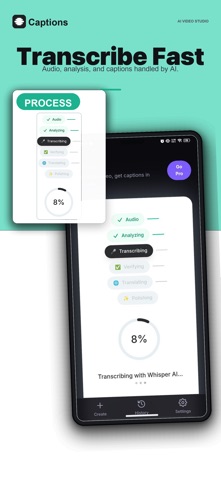
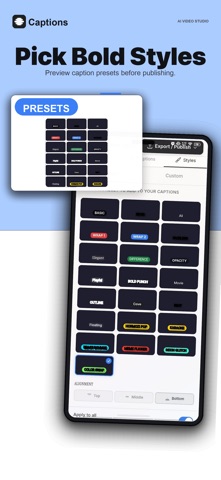
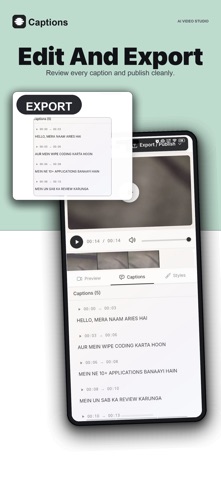
CaptionLab turns raw video into clear, styled captions you can actually edit - without typing a single word by hand. Import a clip, pick your caption language, and AI creates timed subtitles. Every word stays yours to change. Fix a name, retime a line, restyle the look, move captions anywhere in the frame. Built for short-form creators, podcasters, educators, coaches, agencies, and anyone who needs videos to land with the sound off. WHAT YOU CAN DO - Generate timed captions from speech, automatically - Edit every word in a synced caption timeline - Translate captions into 40+ languages - Choose from 200 caption styles, then change type, colour, motion and position - Animate word by word, or keep it calm and readable - Place captions behind the speaker so the subject stays visible - Drag, pinch and reposition captions anywhere in frame - Export a captioned video with subtitles burned in - Export SRT and VTT subtitle files - Save projects and reopen them for editing - Add contextual B-roll, then replace or remove individual cutaways CAPTIONS THAT MATCH THE PLATFORM Each app covers a different slice of the screen. CaptionLab keeps your captions above the interface so they are never buried under a handle, a music ticker or a title bar. BUILT FOR MIXED-LANGUAGE VIDEO English, Roman Urdu, Hindi, Arabic, Spanish, French, German, Japanese, Korean, Chinese, Portuguese, Turkish, Persian and many more. Mixed-language speech is handled with context-aware AI, so names, slang and the terms that matter are easier to preserve. CAPTIONLAB PRO Pro unlocks AI caption generation, every language, the full style library and HD export. Choose the plan that fits how much you post: - Weekly: 10 videos per week - Monthly: 60 videos per month - Yearly: 900 videos per year At 1080p, captioned-video exports currently support up to 2 minutes 40 seconds with standard captions, or 1 minute 33 seconds with behind-person effects. These export limits apply to every plan. SUBSCRIPTION DETAILS CaptionLab Pro is an auto-renewing subscription. Prices (US): - CaptionLab Pro Weekly: $9.99 per week - CaptionLab Pro Monthly: $19.99 per month - CaptionLab Pro Yearly: $59.99 per year Eligible accounts without active Pro may also see an optional onboarding annual offer at $39.99 per year, renewing at the same annual price. Local store prices are shown before purchase. Payment is charged to your Apple Account at confirmation of purchase. Your subscription renews automatically for the same price and period unless auto-renew is turned off at least 24 hours before the end of the current period. Your account is charged for renewal within 24 hours prior to the end of the current period. You can manage or cancel your subscription in your Apple Account settings after purchase. Terms of Use (EULA): https://autocaption.app/terms Privacy Policy: https://autocaption.app/privacy
What's new · 1.5
Explore 16 new caption styles, including behind-person effects. Add contextual B-roll across your video with one tap, then replace or remove individual clips. This update also improves saved-video handling and introduces an optional annual offer during onboarding.
Details