

QuickRead: PDF & Book Reader
Emrah Sinekli · Books
Independent analytics for this App Store listing. AppTracker is not affiliated with Emrah Sinekli.
Chart standing · US
Screenshots


About
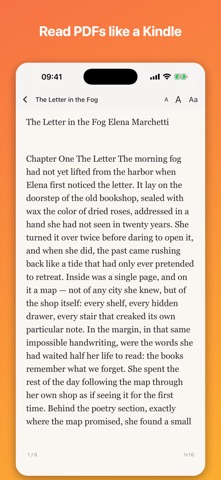
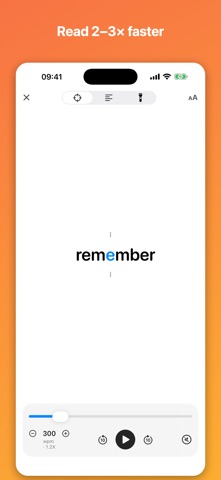
QuickRead turns your iPhone and iPad into the reading tool you always wanted: a beautiful PDF & book reader, a real notebook you can write on, and a speed-reading trainer — in one app that works 100% offline. READ PDFs LIKE A KINDLE • Any PDF reflows into clean book pages • Turn pages with a paper-curl animation or scroll continuously • Paper, sepia, light, dark and night themes • Adjustable font size — your page is always remembered A REAL NOTEBOOK ON YOUR PDFs • Draw with pen and marker in 7 colors • Highlight, underline or strike through any text • Add shapes, arrows and typed margin notes • Everything is saved INTO the PDF file itself — your marks travel with the document • Eraser and undo included TRAIN YOUR READING SPEED • Focus mode flashes words at the optimal eye position (RSVP) • Flow and Spotlight modes keep the whole page visible • 25–1200 words per minute, rhythm pauses at punctuation • Live statistics: words read, time, average WPM LISTEN IN ANY LANGUAGE • On-device voices read along, word-synced • The language is detected automatically IMPORT ANYTHING • PDF, ePub, Markdown, TXT, RTF, DOCX — or paste any text • Everything stays on your device: no account, no cloud, no tracking QUICKREAD PRO Free includes 3 documents and all reading modes. Pro unlocks unlimited documents and the full notebook toolkit — monthly, yearly, or one single lifetime purchase. Privacy: QuickRead collects no data. Your documents never leave your device. Terms of Use: https://www.apple.com/legal/internet-services/itunes/dev/stdeula/ Privacy Policy: https://quickreadmac.com/ios/privacy Terms of Use (EULA): https://quickreadmac.com/ios/terms Privacy Policy: https://quickreadmac.com/ios/privacy
What's new · 1.0.1
A friendlier first run, and a clearer free plan. • Guided tour on first launch — every button explained in plain language. • First-time tips inside speed reading, book mode and the PDF notebook. • You can now see exactly how many of your 3 free imports are left. • Rate QuickRead straight from Settings, and reopen the tour any time. • Fixes and polish throughout.
Details