

Mailbox: MBOX Viewer
Jhomar Maravillas · Productivity
Independent analytics for this App Store listing. AppTracker is not affiliated with Jhomar Maravillas.
Chart standing · US
What changed · US
Listing changes AppTracker has observed for this app in this storefront — new versions, price moves, rating shifts, and store copy.
Updated App Store listing. No changes to how the app works.
Screenshots


About
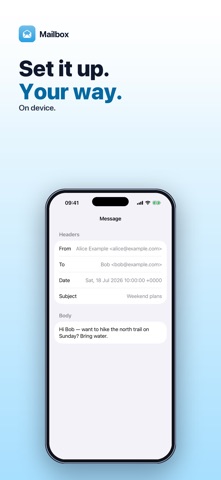
Downloaded your email archive as an .mbox file and can't open it on your iPhone? Mailbox opens MBOX mailboxes — like a Google Takeout mail export — so you can read the messages and save their attachments, right on your iPhone. Choose the .mbox file in the Files app. Mailbox lists every message with its subject, sender, date and attachment count; tap one to read it. • EVERY MESSAGE IN A LIST — subject, sender, date and a paperclip count for messages with attachments. • READ THE MESSAGE — From, To, Date and Subject plus the message text. HTML emails are shown as clean readable text, and you can select and copy text. • ATTACHMENTS — see each attachment's name, type and size, and save it to Files with one tap. • REAL-WORLD MAIL FORMATS — multipart messages, nested parts, base64 and quoted-printable encoding, encoded subject lines and mboxrd-escaped lines are decoded. • SINGLE EMAILS TOO — open an .eml file to read one message on its own. Honest scope: Mailbox is a read-only viewer. There is no search, sorting or reply, and HTML emails are shown as text without images or formatting. Every message in the file is listed, and large archives of several GB open too: the mailbox is read from storage one message at a time instead of being loaded whole. Text in older encodings such as ISO-2022-JP, Shift_JIS or ISO-8859-1 is decoded using the character set the message declares. Your mailbox is read on your iPhone. Nothing is uploaded and no account is needed. Reading messages is free and unlimited. Saving attachments includes 3 free exports; a one-time $4.99 purchase unlocks unlimited attachment exports. No subscription, no ads. Questions: overlapmarr@gmail.com
What's new · 1.0.6
Updated App Store listing. No changes to how the app works.
Details