

MakeHDR: Ultra HDR Converter
Eliecer Valerio · Photo & Video
Independent analytics for this App Store listing. AppTracker is not affiliated with Eliecer Valerio.
Chart standing · US
What changed · US
Listing changes AppTracker has observed for this app in this storefront — new versions, price moves, rating shifts, and store copy.
Video conversion that finishes. • Fixed a hang: a clip whose audio ends before the video — which is most clips — could stop mid-conversion and never finish, with the progress bar frozen • Your screen stays awake while MakeHDR converts, so a long video no longer stops when the display sleeps • The progress bar follows the time actually converted, instead of jumping to 99% and sitting there • A clip already recorded in HDR now says so, with Convert anyway one tap away • Watermarked video exports say they are re-encoding, because that is what takes the time • A conversion that stops responding now tells you, instead of waiting forever
Ratings breakdown · US
The star breakdown behind this app's rating in this storefront.
In-app purchases · US
What this app sells inside itself, grouped by kind and priced for this storefront.
Screenshots


About
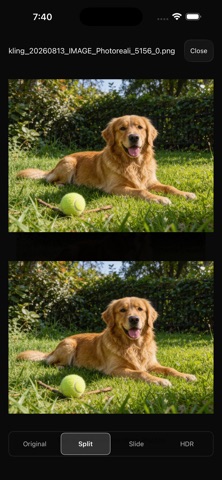
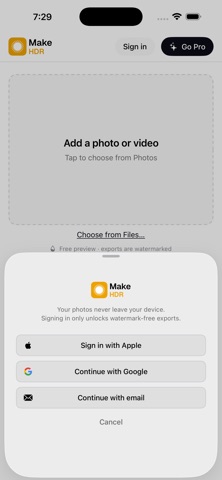
Turn ordinary photos and video into real HDR that glows. MakeHDR converts any JPEG, PNG or HEIC into a true gain-map HDR photo, and turns standard video clips into genuine HDR video. Your photos light up on iPhone, Instagram and Google Photos. Your video plays as real HDR in Photos, QuickTime, Safari and Chrome. No AI. No invented detail. MakeHDR does not generate, upscale or hallucinate anything. It computes real HDR from the light already in your file — a standards-based gain map (ISO 21496-1 + Adobe XMP, the same format Apple and Google use). The result is your photo, with the highlights it always had, finally allowed to shine. Everything stays on your device. Your photos and videos are never uploaded. Conversion happens entirely on your iPhone, iPad or Mac, using Apple's own media frameworks. No cloud, no queue, no account required to start. About the screenshots above HDR is literally brightness, so what you see above depends on the screen you are reading this on. The test that settles it takes a minute and costs nothing: convert one of your own photos — the free tier needs no account — and open the result in Photos on an HDR display. The highlights go past white; the rest of the picture does not move. WHAT YOU GET • One-click auto HDR — drop a file, get real HDR in seconds • See the difference — slide, split or full-screen comparison against the original • Manual control — fine-tune the HDR strength to taste • True HDR video — hardware-encoded with Apple VideoToolbox • Full 4K and beyond — no resolution cap, no thermal throttling • PQ or HLG — pick the HDR transfer your delivery needs • Batch processing — convert a whole shoot at once • Standard files — normal JPEG and MP4 that work everywhere WORKS EVERYWHERE, FALLS BACK GRACEFULLY An Ultra HDR photo is still a normal photo. On an HDR screen the highlights punch; on any other screen it displays as a regular image. Nothing breaks, nothing looks strange. The same is true of the video: real HDR where it's supported, normal video everywhere else. FREE TO USE Convert as much as you want, free, forever. Every export carries a small watermark. Go Pro to remove it. ONE PAYMENT. YOURS FOREVER. MakeHDR Pro is a single purchase. Nothing renews, and there is nothing to cancel. • Unlimited exports with no watermark • iPhone, iPad and Mac — one purchase covers all of them • Every future update • The web converter at makehdr.com is included Your MakeHDR account works across the app and the web converter — sign in once, use it anywhere. Support: support@makehdr.com Privacy Policy: https://makehdr.com/privacy Terms: https://makehdr.com/terms
What's new · 1.0.5
Video conversion that finishes. • Fixed a hang: a clip whose audio ends before the video — which is most clips — could stop mid-conversion and never finish, with the progress bar frozen • Your screen stays awake while MakeHDR converts, so a long video no longer stops when the display sleeps • The progress bar follows the time actually converted, instead of jumping to 99% and sitting there • A clip already recorded in HDR now says so, with Convert anyway one tap away • Watermarked video exports say they are re-encoding, because that is what takes the time • A conversion that stops responding now tells you, instead of waiting forever
Details