

FaxProof: Send Fax from Phone
Appipe · Utilities
Independent analytics for this App Store listing. AppTracker is not affiliated with Appipe.
Chart standing · US
In-app purchases · US
What this app sells inside itself, grouped by kind and priced for this storefront.
Screenshots



About
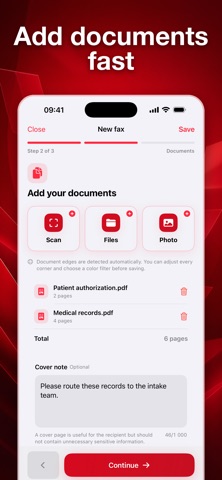
Send a fax from your phone with the control important documents deserve. FaxProof lets you scan or import pages, sign and organize PDFs, review the exact fax, track delivery, and keep a shareable receipt. PREPARE EVERY PAGE • Scan multi-page documents with automatic edge detection and adjustable cropping • Import PDFs and images from Files, Photos, or the iOS share sheet • Reorder documents and PDF pages, rotate or remove pages, and combine them into one fax • Add text, dates, checkmarks, or your reusable signature • Build a professional cover page with sender details, a subject, a message, and an optional confidentiality notice • Review quality warnings for pages that may be faint, blank, or low-resolution SEND WITH CONFIDENCE • Choose a supported country and enter the recipient’s fax number • Confirm the number, final page count, and every page before transmission begins • Follow clear status updates: uploading, accepted, dialing, retrying, delivered, or failed • Receive delivery notifications • Prepare a resend without rebuilding the fax KEEP YOUR PROOF • Create and share a PDF delivery receipt with the recipient, fax number, page count, timestamps, delivery attempts, provider reference, and final status • Search your fax activity and reopen the exact sent document • Save drafts and fax contacts for next time • Delete individual faxes or erase all locally stored FaxProof data from Settings LOCAL-FIRST BY DESIGN Drafts, imported documents, contacts, fax history, sender details, and your saved signature are stored locally on your iPhone. When you tap Send, the finished PDF and recipient number are transmitted through the services required to deliver your fax. GOOD TO KNOW FaxProof is designed for sending faxes and does not provide an incoming fax number. A FaxProof Pro subscription is required for live sending and includes up to 20 faxes and 100 total pages in each rolling 30-day period. Available plans, localized prices, and any eligible introductory offer are shown before purchase. Subscriptions are billed by Apple and renew automatically unless canceled. No fax machine. No printing. Review first, send when ready, and keep the receipt. You may purchase a subscription through an In-App Purchase. • Auto-renewable subscription • 1 week ($4.99), 1 month ($9.99), 12 months ($49.99) • Your subscription will be charged to your iTunes account at confirmation of purchase and will automatically renew (at the duration selected) unless auto-renew is turned off at least 24 hours before the end of the current period. • Current subscription may not be cancelled during the active subscription period; however, you can manage your subscription and/or turn off auto-renewal by visiting your iTunes Account Settings after purchase • Privacy policy: https://doc-hosting.flycricket.io/appipe-privacy-policy/9b035945-50c2-4744-9259-1b67ec78df53/privacy • Terms of use: https://www.apple.com/legal/internet-services/itunes/
Details