

Cueframe: AI Teleprompter
小聪 钟 · Photo & Video
Independent analytics for this App Store listing. AppTracker is not affiliated with 小聪 钟.
Chart standing · US
What changed · US
Listing changes AppTracker has observed for this app in this storefront — new versions, price moves, rating shifts, and store copy.
• Two ways to record: Freestyle for unscripted takes, or With script using your own title and script. • New teleprompter: smart sentence splitting, auto scroll timed to your speaking pace, or a tap-to-advance mode with a one-handed Next button. Calibrate your pace in Settings. • Cartoon face masks that follow your mouth and show your real eyes. • Smoother, faster live preview for backgrounds and face effects. • New light design and a simpler video list you can rename. • AI idea and script generation has been removed — Cueframe now works with the scripts you write.
In-app purchases · US
What this app sells inside itself, grouped by kind and priced for this storefront.
Screenshots


About
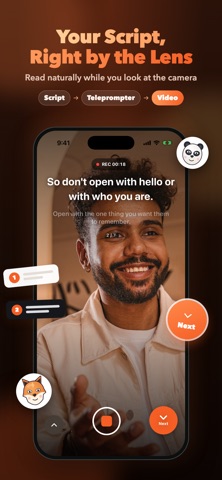
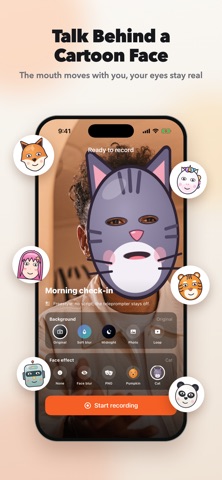
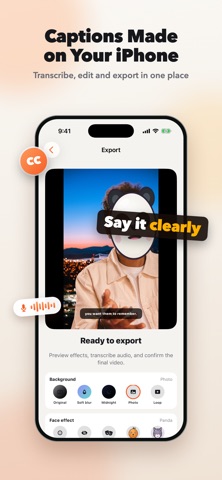
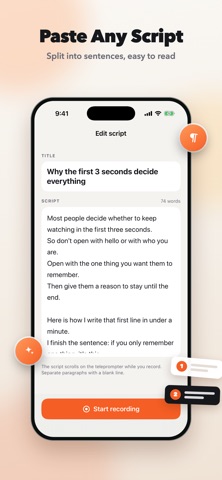
Cueframe is a teleprompter camera for talking-head videos. Record with the front camera while your script stays right next to the lens, then add captions, a new background or a fun face mask and export a finished video. TWO WAYS TO RECORD • Freestyle: start recording instantly with no script. Every take is saved to your list with a date title you can rename. • With script: add a title and paste or write your script, then record with the teleprompter. Edit the script any time before you record again. A TELEPROMPTER THAT KEEPS YOUR PACE Cueframe splits your script into readable sentences and paragraphs automatically. • Auto scroll moves each sentence to the reading line for as long as it takes you to say it. Calibrate your own speaking pace in Settings by reading a short passage aloud, then fine-tune from 0.5× to 2× before each take. • Tap to advance shows the current and the next sentence; tap Next when you are ready. The large Next button sits under your thumb for one-handed recording, on the right or left side. • In both modes you can go back a line, skip to the next line, or long-press Next to jump to the next paragraph. Text size and color are adjustable. BACKGROUNDS AND FACE EFFECTS Preview every effect live while you record and again before export. • Replace your background with a soft blur, a preset, your own photo or a looping video. • Hide or decorate your face with blur, a PNG sticker or a cartoon face mask. Masks follow your head, open their mouth when you talk and let your real eyes show through. CAPTIONS AND B-ROLL Transcribe your recording on device into timed captions, edit the text, choose the language and style them before burning them into the video. Add B-roll clips with editable start and end times. EXPORT AND SHARE Review the final video, then save it to Photos or share it directly. CUEFRAME PRO Recording, the teleprompter, B-roll and exports without premium effects are free. A Cueframe Pro subscription unlocks background replacement, face effects and auto captions in your exports. The subscription renews automatically unless cancelled at least 24 hours before the end of the current period, and can be managed in your Apple Account settings. Terms of Use (EULA): https://www.apple.com/legal/internet-services/itunes/dev/stdeula/ Support: support@iamdev.me Privacy Policy: https://cueframe.iamdev.me/privacy Terms of Use: https://cueframe.iamdev.me/terms
What's new · 1.1
• Two ways to record: Freestyle for unscripted takes, or With script using your own title and script. • New teleprompter: smart sentence splitting, auto scroll timed to your speaking pace, or a tap-to-advance mode with a one-handed Next button. Calibrate your pace in Settings. • Cartoon face masks that follow your mouth and show your real eyes. • Smoother, faster live preview for backgrounds and face effects. • New light design and a simpler video list you can rename. • AI idea and script generation has been removed — Cueframe now works with the scripts you write.
Details