

Scan PDF: Genius Expert Editor
Futura Funds Inc. · Productivity
Independent analytics for this App Store listing. AppTracker is not affiliated with Futura Funds Inc.
Chart standing · US
In-app purchases · US
What this app sells inside itself, grouped by kind and priced for this storefront.
Screenshots


About
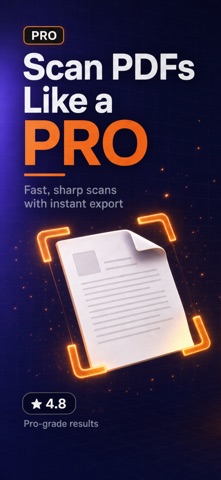
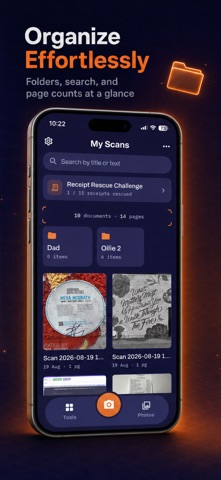
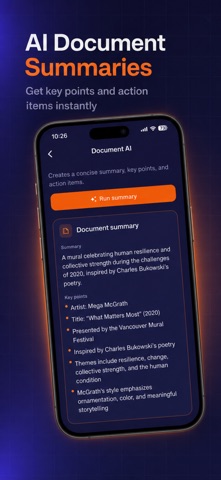
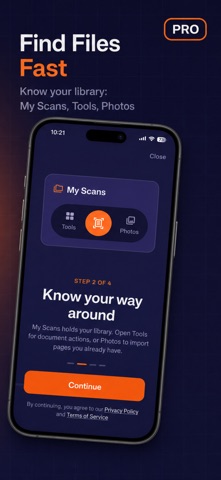
Turn your iPhone into a powerful document scanner and PDF editor with Scan PDF: Genius Expert Editor. Scan documents in seconds, create clean PDF files, edit pages, convert files, add signatures, and keep important documents organized in one convenient app. SMART DOCUMENT SCANNER Use your camera to quickly scan documents, receipts, contracts, notes, IDs, forms, books, and other paperwork. Automatically capture pages and create clear digital copies. PDF MAKER & EDITOR Create and manage PDF documents directly from your phone. Easily: - Scan documents to PDF - Create multi-page PDFs - Add, remove, and reorder pages - Rotate and organize scanned pages - Rename and manage documents - Combine pages into one file PDF CONVERTER Convert documents and images into convenient PDF files for work, study, travel, or everyday use. SIGN DOCUMENTS Add your signature directly to documents without printing and scanning paperwork again. IMPORT PHOTOS & FILES Create PDFs from existing images and documents stored on your device. ORGANIZE YOUR DOCUMENTS Keep scans and PDF files in one place so important documents are easy to find whenever you need them. PERFECT FOR - Contracts and business documents - Receipts and invoices - School and university notes - Forms and applications - IDs and travel documents - Books and printed pages - Personal paperwork - Everyday PDF management HOW IT WORKS 1. Scan a document or import an existing file 2. Adjust and organize the pages 3. Create your PDF 4. Edit, convert, or sign when needed 5. Save and share your document Whether you need a quick scanner, PDF maker, converter, editor, or document signing tool, Scan PDF gives you the essential tools in one simple app. Fast scanning. Simple editing. Powerful PDF tools. Privacy Policy: https://www.termsfeed.com/live/caab9580-c317-40c6-894d-2e98ce454f39 Terms of Use: https://www.termsfeed.com/live/10bb3250-4da8-432c-a10b-89a906e140c9
Details