

SFTP Files
James Baker · Utilities
Independent analytics for this App Store listing. AppTracker is not affiliated with James Baker.
Chart standing · US
What changed · US
Listing changes AppTracker has observed for this app in this storefront — new versions, price moves, rating shifts, and store copy.
• Commands view: see every command you've run in the console, and copy them all out as a shell script. • Transfers now have a cancel button.
Screenshots



About
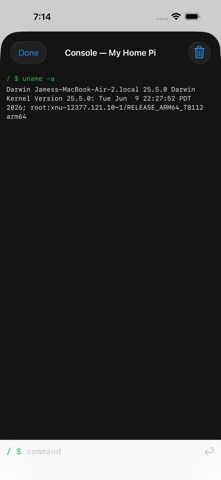
SFTP Files is the fast, focused way to reach every server you can ssh to — your Raspberry Pi, NAS, VPS, or web host — right from your iPhone or iPad. CONNECT LIKE SSH Sign in exactly the way you do in a terminal: username plus password, or a private key (Ed25519 and RSA, passphrases supported). Everything travels inside an encrypted SSH connection, directly between your device and your server. No cloud, no account, no middleman — your credentials live in the device Keychain and nowhere else. BROWSE AND TRANSFER • Fast folder browsing with folders-first sorting • Upload and download with live progress • Rename, delete, and create folders • Preview files and hand them to any app with the share sheet • Pick a start directory per server — jump straight to /var/www BUILT-IN CONSOLE Run quick commands on your server — ls, df -h, tail, systemctl status — without leaving the app. The working directory sticks between commands, just like a real shell. SEE THE PROTOCOL A live Protocol view shows the actual SFTP conversation (SSH_FXP_*) as it happens. When a server or firewall misbehaves, you can see exactly why. WORKS WITH OpenSSH on Linux and Raspberry Pi, macOS Remote Login, Synology, QNAP, TrueNAS, and SFTP-only web hosting accounts. If you can ssh to it, SFTP Files can browse it. ALSO ON MAC One purchase covers iPhone, iPad, and Mac. On the Mac, flip one switch and your server appears in Finder's sidebar as a drive every app can open and save to. SFTP Files is free with ads. The one-time SFTP Files Pro purchase removes all ads forever — no subscription.
What's new · 1.1
• Commands view: see every command you've run in the console, and copy them all out as a shell script. • Transfers now have a cancel button.
Details