

Trimly: PDF Crop
Jhomar Maravillas · Productivity
Independent analytics for this App Store listing. AppTracker is not affiliated with Jhomar Maravillas.
Chart standing · US
What changed · US
Listing changes AppTracker has observed for this app in this storefront — new versions, price moves, rating shifts, and store copy.
Updated App Store listing. No changes to how the app works.
Screenshots


About
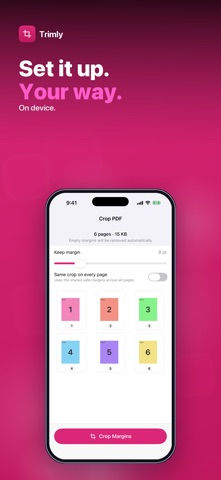
PDF pages with wide white margins that make the text tiny on your iPhone or e-reader? Trimly finds the content on every page and crops away the empty margins, so pages fill the screen and print without wasted space. Select a PDF, set how much margin to keep, and tap Crop Margins. Trimly checks each page, trims the blank edges and gives you a new PDF to share or save to Files. • AUTOMATIC CONTENT DETECTION — each page is scanned for text, images and lines; faint scanner specks and near-white noise are ignored. • KEEP A LITTLE MARGIN — a slider keeps 0–40 points of breathing room around the content so nothing is cut flush. • SAME CROP ON EVERY PAGE — optionally apply one shared crop to all pages for a uniform page size, or let each page crop to its own content. • LOSSLESS AND SHARP — pages are re-drawn from the original vector content, not turned into images, so text stays crisp and searchable. • LINKS AND BOOKMARKS KEPT — links are moved with the cropped content and the bookmark outline is carried over. • PAGE PREVIEW — see thumbnails of every page before you crop. Honest scope: Trimly crops only white or near-white margins automatically — there is no manual crop box, and colored or gray page backgrounds (common on scans) may not be trimmed. Password-protected PDFs must be unlocked first. PDFs up to 200 pages and 80 MB are supported. Your original file is never changed. Everything happens on your iPhone. Nothing is uploaded and no account is needed. Try it free — 3 PDFs. A one-time $4.99 purchase unlocks unlimited PDFs and batch cropping — pick up to 50 PDFs at once. No subscription, no ads. Questions: overlapmarr@gmail.com
What's new · 1.0.7
Updated App Store listing. No changes to how the app works.
Details