

Batch HEIC to JPG Converter
Martin Havlicek · Photo & Video
Independent analytics for this App Store listing. AppTracker is not affiliated with Martin Havlicek.
Chart standing · US
Screenshots




About
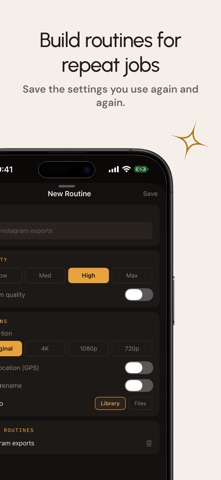
Convert HEIC and HEIF photos to JPG right on your iPhone—one image or an entire batch at a time. Batch HEIC to JPG Converter gives you control over the result without sending your photos to an online conversion service. WHY YOU’LL LIKE IT • Convert one photo or a complete batch • Choose JPG quality and keep the original resolution or resize the output • Keep or remove GPS location data from converted copies • Import from Photos, Files, the clipboard, or the Share Sheet • Save JPGs to Photos or a folder in Files • Create reusable routines for settings you use often • Return to recent conversions in your on-device history PRIVATE BY DESIGN Conversion happens on your iPhone. Your images are not uploaded to our servers, and the app has no accounts, ads, analytics, or tracking. You choose the photos, settings, and destination. A SIMPLE WORKFLOW 1. Select HEIC or HEIF images. 2. Choose quality, resolution, and location-data settings. 3. Convert and save clean JPG copies wherever you need them. Your original images remain unchanged. Whether a website rejects HEIC, a colleague needs JPEG, or a complete album must be easier to share, you can prepare compatible JPG copies in a few clear steps.
Details