

Wordly: Word to PDF
Jhomar Maravillas · Productivity
Independent analytics for this App Store listing. AppTracker is not affiliated with Jhomar Maravillas.
Chart standing · US
What changed · US
Listing changes AppTracker has observed for this app in this storefront — new versions, price moves, rating shifts, and store copy.
Clearer App Store description. Improved translations and small fixes.
Screenshots


About
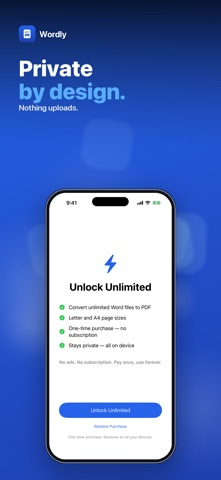
Need to turn a Word document into a PDF on your iPhone? Wordly converts .docx files to clean, multi-page PDFs right on your device — no computer, no upload. Pick a .docx from Files, choose Letter or A4 and tap Create PDF. Wordly lays out the text page by page and shows a preview of the first page when it's done. • DOCX TO PDF — paragraphs, headings, bold, italic, text sizes, alignment and page breaks carry over into a real multi-page PDF. • LETTER OR A4 — pick the page size before you convert, with standard 1-inch margins. • BATCH CONVERSION — with the unlock, select up to 50 Word files at once and get one PDF for each. A file that can't be read is skipped, not the whole batch. • PREVIEW FIRST — for a single document, see the first page, page count and file size before you save anything. • SAVE OR SHARE — send the PDF to Files, Mail, Messages or any app from the share sheet. Wordly is built for text documents such as letters, essays, reports and résumés. It sets the text in a standard font and doesn't reproduce images, table layouts, headers and footers or list numbering, so heavily designed documents won't look identical to Word. Older .doc files need to be saved as .docx first. Conversion happens entirely on your iPhone or iPad; your documents are never uploaded and no account is needed. Convert and preview for free. A one-time $4.99 unlock lets you save and share your PDFs and adds batch conversion. No subscription, no ads. Questions: overlapmarr@gmail.com
What's new · 1.0.5
Clearer App Store description. Improved translations and small fixes.
Details