

Seally: PDF Watermark
Jhomar Maravillas · Productivity
Independent analytics for this App Store listing. AppTracker is not affiliated with Jhomar Maravillas.
Chart standing · US
What changed · US
Listing changes AppTracker has observed for this app in this storefront — new versions, price moves, rating shifts, and store copy.
Fixed: on iOS 27, watermarked PDFs lost their bookmarks. The table of contents now comes through intact, nested entries included, and each opens the right page.
Screenshots



About
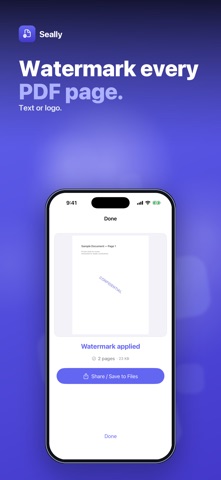
Need to stamp "DRAFT", "CONFIDENTIAL" or your logo on a PDF before you send it? Seally adds a text or logo watermark to every page of a PDF, right on your iPhone. Pick a PDF, type your text or choose a logo from Photos, adjust the look with a live preview, and tap Apply Watermark. Then share the new PDF or save it to Files. • TEXT OR LOGO — type any text (for example "DRAFT" or "© Your Name") in white, black, indigo or red, or use an image from your photo library as a logo stamp. • NINE POSITIONS — place the stamp in any corner, along an edge or dead center on every page. • OPACITY, SIZE AND ROTATION — opacity from 10% to 100%, size from 10% to 50% of the page width, and a tilt from −90° to 90° for the classic diagonal look. • KEEPS YOUR PDF INTACT — pages are redrawn as vectors, so text stays sharp and selectable, and links, annotations and bookmarks are carried over to the watermarked copy. • WATERMARK MANY AT ONCE — with the unlock, select up to 50 PDFs in one go and stamp them all with the same settings. • SHARE OR SAVE — export the watermarked PDF to Files, Mail or any app on the share sheet. Your original file is never changed. Honest scope: Seally stamps the same watermark on every page; it does not edit page content, and password-protected PDFs need to be unlocked first. A watermark is a visible mark, not encryption or copy protection. Everything happens on your iPhone — your PDFs are not uploaded and no account is needed. Try it free — 3 watermarked PDFs. A one-time $4.99 purchase unlocks unlimited PDFs and multi-file watermarking. No subscription, no ads. Questions: overlapmarr@gmail.com
What's new · 1.0.4
Fixed: on iOS 27, watermarked PDFs lost their bookmarks. The table of contents now comes through intact, nested entries included, and each opens the right page.
Details