

AnyMarkdown - File to Markdown
培 李 · Productivity
Independent analytics for this App Store listing. AppTracker is not affiliated with 培 李.
Chart standing · US
What changed · US
Listing changes AppTracker has observed for this app in this storefront — new versions, price moves, rating shifts, and store copy.
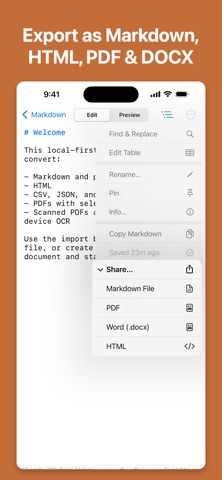
Export to Word: turn any document into an editable .docx — headings, lists, tables, and code all carried across. Plus a big upgrade to tables throughout the app. NEW • Word (.docx) export — send your Markdown out as a Word file, from the same share menu as Markdown, HTML, and PDF. Included with Pro. • A fresh app icon. IMPROVED • Wide tables keep their shape while you edit. Columns line up, and each table scrolls sideways on its own, so you can read a long row without dragging the rest of your document along with it. • The visual table editor now has undo and redo, a tap menu for inserting and deleting rows and columns, and per-column alignment. Nothing is written back to your document until you tap Done. • Tables in preview have clean borders and alternating row shading, and they follow the column alignment you set. Every conversion still runs entirely on your device.
In-app purchases · US
What this app sells inside itself, grouped by kind and priced for this storefront.
Screenshots



About
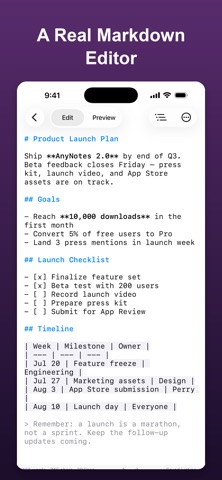
Turn almost any file into clean Markdown — right on your iPhone and iPad, with every conversion running offline. AnyMarkdown converts documents, web pages, and images into well-structured Markdown, then gives you a powerful editor to polish and share the result. Every conversion happens on your device: your files are never uploaded to our servers or to any third party. CONVERT ALMOST ANYTHING • PDF — text extraction with smart headings, plus OCR for scanned pages • Word (docx), EPUB, HTML, RTF • Excel (xlsx) and CSV — turned into Markdown tables • PowerPoint (pptx) — slides become headings and bullets • Images and screenshots — text and tables via OCR • Jupyter notebooks, JSON, XML, and source code files • Web pages — paste a link and get a clean, readable article BUILT FOR MARKDOWN • Full syntax highlighting as you type • Smart lists, task checkboxes, auto-pairing, and a dedicated keyboard toolbar • Visual table editor — no more counting pipes by hand • Document outline for quick navigation • Find & replace • Live preview with adjustable themes ORGANIZE & SHARE • Library with full-text search, pinning, and grouping • iCloud sync keeps your library identical on iPhone and iPad, with an offline copy always kept on device • Send files or links from any app via the share sheet • Export as Markdown, HTML, or PDF • Word count that handles Chinese, Japanese, and Korean correctly PRIVATE BY DESIGN All conversion and OCR run locally on your device — nothing is uploaded for processing. The network is used only when you import a web link, or when your own documents sync through your private iCloud account. No accounts to create, no tracking, no third-party servers. FREE & PRO Try it for free. Upgrade to Pro for unlimited conversions — monthly, yearly, or a one-time lifetime purchase. Whether you are a writer collecting research, a developer keeping notes, or a student turning lecture PDFs into editable notes, AnyMarkdown makes everything Markdown. Terms of Use: https://www.apple.com/legal/internet-services/itunes/dev/stdeula/
What's new · 1.4
Export to Word: turn any document into an editable .docx — headings, lists, tables, and code all carried across. Plus a big upgrade to tables throughout the app. NEW • Word (.docx) export — send your Markdown out as a Word file, from the same share menu as Markdown, HTML, and PDF. Included with Pro. • A fresh app icon. IMPROVED • Wide tables keep their shape while you edit. Columns line up, and each table scrolls sideways on its own, so you can read a long row without dragging the rest of your document along with it. • The visual table editor now has undo and redo, a tap menu for inserting and deleting rows and columns, and per-column alignment. Nothing is written back to your document until you tap Done. • Tables in preview have clean borders and alternating row shading, and they follow the column alignment you set. Every conversion still runs entirely on your device.
Details