

Panels: Photo & Video Collage
Cow Cow Technologies LLC · Photo & Video
Independent analytics for this App Store listing. AppTracker is not affiliated with Cow Cow Technologies LLC.
Chart standing · US
What changed · US
Listing changes AppTracker has observed for this app in this storefront — new versions, price moves, rating shifts, and store copy.
Minor bug fixes and accessibility improvements.
In-app purchases · US
No in-app purchases.
Screenshots


About
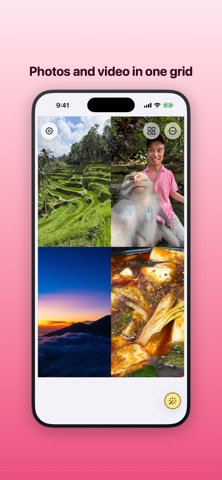
Panels turns your photos and videos into a collage — a grid of cells you fill, arrange, and export as one image or, better, a moving video where the cells play together. Most collage apps stop at still photos. Panels is built for motion: drop a video into a cell and it plays, in sync with the others, across the whole grid. Mix stills and clips however you like. Pick a layout — a clean table grid, an off-balance split, or a diagonal cut. Tap a cell to add a photo or video from your library. Drag and pinch to frame each one exactly how you want it inside its cell. Trim your clips, set the border size and color, and when it looks right, export. Great for: • Recaps and montages where a single frame isn't enough • Reels, Stories, and posts built from a handful of clips • Trip and event collages that actually move • Before-and-afters, side-by-sides, and split screens • Turning a burst of photos into one shareable grid What you get: • Photo and video cells in the same grid • Videos that play together, in sync • Table, recursive, and diagonal grid layouts • Drag and pinch to frame content inside any cell • Per-clip trimming and multi-clip playlists • Adjustable border size and color • Light or dark appearance • Export as a still image or a moving collage video • Everything stays on your device — no login, no upload Free to download — no subscription, no account.
What's new · 1.0.13
Minor bug fixes and accessibility improvements.
Details