

PDF Squeeze
MOHAMMAD AHMADI SADR · Utilities
Independent analytics for this App Store listing. AppTracker is not affiliated with MOHAMMAD AHMADI SADR.
Chart standing · US
What changed · US
Listing changes AppTracker has observed for this app in this storefront — new versions, price moves, rating shifts, and store copy.
some bugs fixed and functionality improved
Ratings breakdown · US
The star breakdown behind this app's rating in this storefront.
In-app purchases · US
What this app sells inside itself, grouped by kind and priced for this storefront.
Screenshots





About
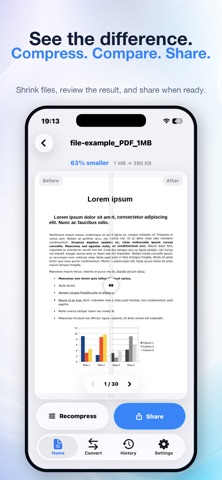
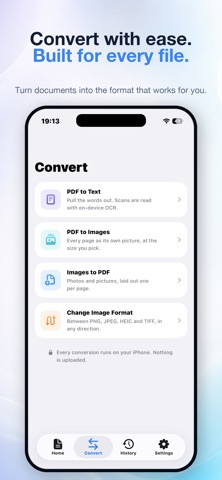
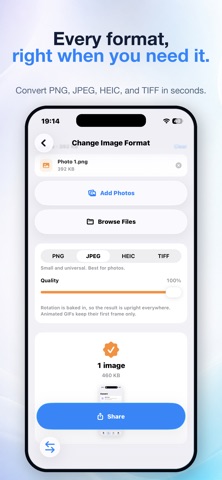
PDF Squeeze is a private PDF compressor, reader, editor, and signing tool for iPhone and iPad. Make large PDFs smaller, ask questions about what’s inside, sign documents, mark up pages, and organize your files — all on your device. ASK YOUR PDF ANYTHING Open a contract, lease, manual, research paper, or any other PDF and ask questions in plain language: “What’s the cancellation policy?” “When does this renew?” “What did they agree to pay?” PDF Squeeze answers with page references you can tap to jump directly to the source. Check the original wording yourself instead of relying on an answer without context. AI answers run entirely on your device. Devices with Apple Intelligence use the system model. Other compatible devices can add an optional on-device model. Your documents are not uploaded to a server. Scanned, photographed, and faxed documents work too, thanks to on-device OCR. SIGN WITHOUT PRINTING Sign with your finger, or type your name and choose a handwriting style. Your signature is stored as strokes and letterforms instead of a photograph, so it stays sharp at any zoom and adds almost no extra file size. Signatures are embedded directly into the PDF page rather than added as a floating annotation. They remain part of the document when you compress it or share it with someone else. MARK UP LIKE PAPER Highlight important passages, draw freehand, and add text boxes that you can resize to fit your page. Made a mistake? Undo your changes all the way back. COMPRESS WITHOUT THE BLUR PDF Squeeze starts with a vector-preserving compression pass whenever possible, keeping text crisp and selectable. Pages are only re-rendered when doing so actually reduces the file size. Your compressed PDF will never be larger than the original. HIT AN EXACT FILE SIZE Need to meet an email limit or upload portal requirement? Use Target Size and choose 1 MB, 2 MB, 5 MB, 10 MB, or 25 MB. PDF Squeeze searches for the best visual quality that fits just under your chosen limit. If a target cannot be reached, PDF Squeeze tells you honestly and produces the smallest file possible. SEE THE DIFFERENCE Drag the Before & After slider across any page to compare the original document with the compressed version. See the result for yourself. EVERYTHING ELSE YOU NEED • Four quality presets: Light, Balanced, Strong, and Extreme • Automatic grayscale detection for additional savings on scanned documents • Rearrange, rotate, and delete pages by dragging thumbnails • Extract selected pages into a new PDF • Merge multiple PDFs into one document • Turn one or more photos into a PDF • Search the full text of your document • Open PDFs directly from Files with “Open with PDF Squeeze” • Keep a history of compressed documents and lifetime storage savings • Choose Light, Dark, or System appearance PRIVATE BY DESIGN Compression, OCR, signatures, markup, and AI answers happen on your iPhone or iPad. Your documents are never uploaded. No servers, no account, no tracking, and no ads. TRY IT FREE One purchase unlocks the full app permanently. No subscription.
What's new · 3.6
some bugs fixed and functionality improved
Details