
Chart standing · US
What changed · US
Listing changes AppTracker has observed for this app in this storefront — new versions, price moves, rating shifts, and store copy.
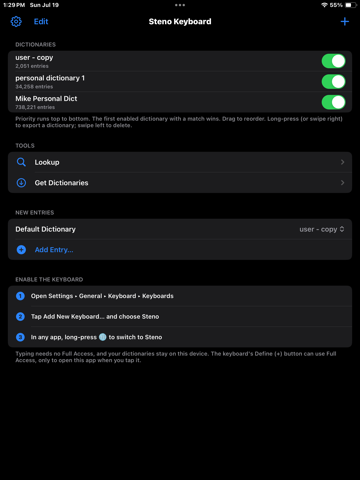
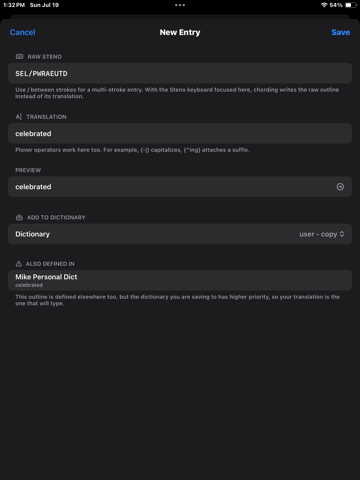
Dictionary tools, in your pocket. • Open a dictionary and page through every entry it holds. • One search field per dictionary: steno finds outlines, words find translations. • Change an entry, swipe it away, or move or copy it into another dictionary. • Lookup finds more than exact matches now. It reads what you type as steno, and finds the translations that merely contain it. • Conflicts shows every outline two dictionaries define differently, what types and what does not. Search it or filter by dictionary, then tap to edit. • Merge two or more dictionaries into a new one, with the originals left as they are. • Export every dictionary in one go, as Plover JSON or RTF/CRE.
Screenshots



About
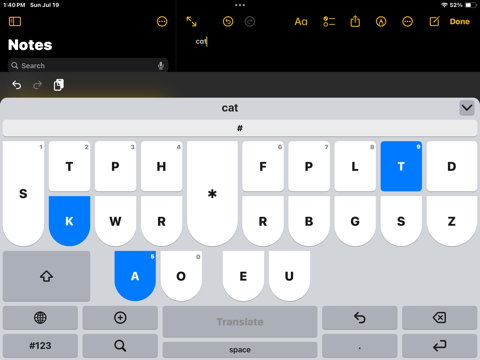
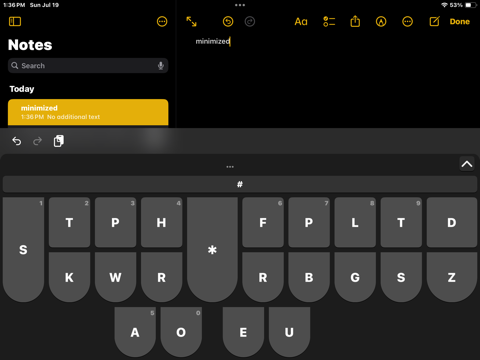
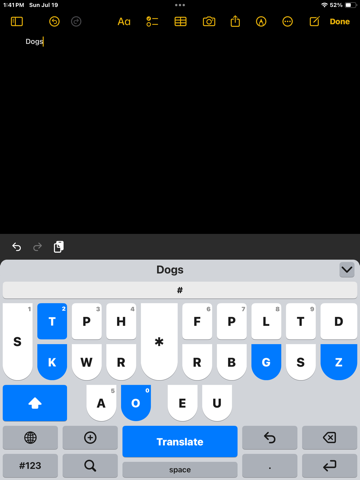
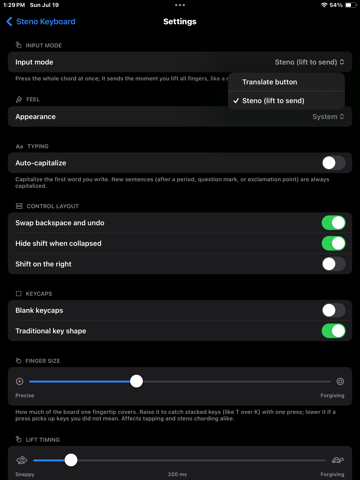
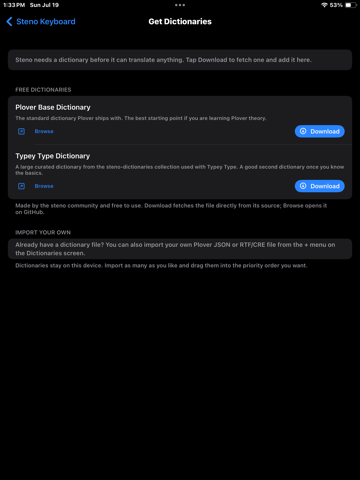
Steno Keyboard is a stenographic keyboard for iPad. Instead of one key per letter, you press several keys at once and lift. A dictionary translates that chord into a word, a phrase, or punctuation. It is how court reporters and captioners write at speaking speed. LIFT TO SEND On iPad there is room for the whole key bank at proper proportions, so you can write real chords with both hands. Lift to send is the default: strike the chord, lift your fingers, and the word appears. No separate key to press for every stroke. BUILT FOR HANDS, NOT THUMBS The board measures your reach and sizes the keys to your hands. Multi key finger zones let one finger cover two keys the way a steno machine does. The asterisk and the final D and Z keys can be widened like a real board, and the vowels can sit under the asterisk where a machine puts them. YOUR DICTIONARIES Import Plover format JSON, or RTF/CRE files from most CAT software. Dictionaries are priority ordered, so a personal dictionary can override a general one. Large dictionaries are supported. LOOKUP AND LEARNING Look up how any word is written. Read a plain English explanation of what an entry's formatting codes actually do, rather than decoding them yourself. Define a word you just wrote without leaving what you were doing. Multi stroke phrases translate correctly, with undo. PRIVATE BY DESIGN Nothing you type leaves your device. No account, no analytics, no server of ours. Translation happens locally. REQUIRES A DICTIONARY This is a custom keyboard and it needs a steno dictionary to do anything. The app can download a free starter dictionary, or you can import your own. Also available: Steno Keyboard Pocket, a smaller iPhone version for quick writing on a phone.
What's new · 1.5
Dictionary tools, in your pocket. • Open a dictionary and page through every entry it holds. • One search field per dictionary: steno finds outlines, words find translations. • Change an entry, swipe it away, or move or copy it into another dictionary. • Lookup finds more than exact matches now. It reads what you type as steno, and finds the translations that merely contain it. • Conflicts shows every outline two dictionaries define differently, what types and what does not. Search it or filter by dictionary, then tap to edit. • Merge two or more dictionaries into a new one, with the originals left as they are. • Export every dictionary in one go, as Plover JSON or RTF/CRE.
Details