

QuickFinds
Tyler Tyszkiewicz · Shopping
Independent analytics for this App Store listing. AppTracker is not affiliated with Tyler Tyszkiewicz.
Chart standing · US
What changed · US
Listing changes AppTracker has observed for this app in this storefront — new versions, price moves, rating shifts, and store copy.
Introducing Savings Assistant: your codes and cash back now appear when you open a store's app or website, without opening QuickFinds. Turn it on from the welcome steps or from Profile. Plus faster store links and fixes.
Price & rating history · US
Reconstructed from the listing changes AppTracker has observed in this storefront. A field is charted once it has changed more than once, and each line starts at the value it moved from.
Average rating · ★ 4.88 now · 7 changes on record
Screenshots



Keywords this app targets
Search terms AppTracker associates with this app — estimates, not search volume. ❝ = in the app's title; a highlighted number is its current position for that term.
Similar apps
Competitors and close alternatives, as estimated by AppTracker.
 idealo - Price Comparison
idealo internet GmbH
idealo - Price Comparison
idealo internet GmbH
 Capital One Shopping: Save Now
Wikibuy, LLC
Capital One Shopping: Save Now
Wikibuy, LLC
 Coupert: Coupons & Cash Back
Coupert Science LLC
Coupert: Coupons & Cash Back
Coupert Science LLC
 Price Tracker · Reprice
Alessandro Paolino
Price Tracker · Reprice
Alessandro Paolino
 Koupon: Promo Codes & Deals
Koupon Inc.
Koupon: Promo Codes & Deals
Koupon Inc.
 PriceScout: Lowest Price
Karan Kohli
PriceScout: Lowest Price
Karan Kohli
 Warehouse Runner
Danielle Jackson
Warehouse Runner
Danielle Jackson
 TrackDeals: Save on Everything
DEVORAPPS LLC
TrackDeals: Save on Everything
DEVORAPPS LLC
About
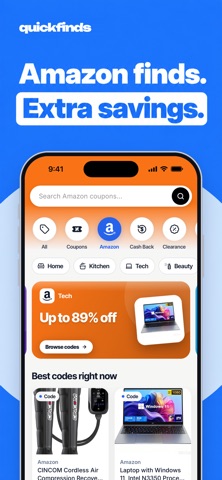
SIGN UP. GET A $10 WELCOME BONUS. Start with a little extra. Join QuickFinds and get a $10 welcome bonus, then discover more ways to save every time you shop. CODES AND CASH BACK THAT FIND YOU Turn on Savings Assistant and your codes and cash back appear when you open a store's app or website, without opening QuickFinds. It works at hundreds of stores, shows only codes that were tested at checkout or published by the store, and you can turn it off or mute any store at any time. Savings Assistant uses an encrypted DNS setting you turn on in Settings. Only the web addresses of stores we carry are checked, and nothing else you do leaves your phone. SEARCH ONCE. FIND MORE. SPEND LESS. Compare prices across 10,000+ stores, discover everyday deals, find promo codes, and earn cash back, all in one place. From Amazon and eBay to Walmart, Target, and Best Buy, QuickFinds brings millions of products together so you can spend less time switching tabs and more time finding what you want. IS IT REALLY A GOOD PRICE? Check before you buy. Explore 90-day price trends, price history, and typical price ranges to put today’s price in context. Compare the same item across stores and find the better offer. 100,000+ DEALS TO DISCOVER Browse real product markdowns from stores you know, checked daily. Explore Fashion, Tech, Home, Beauty, Kids, Dining, Sports, Health, Pets, Travel, Auto, and Books, or go straight to your favorite retailer. AMAZON PROMO CODES, LESS EFFORT Find codes matched to products. Tap to reveal and copy a code, then head straight to the product page. SHOP. EARN CASH BACK. Earn cash back at hundreds of stores, with rates updated daily and an activity list that helps you track your rewards. Redeem your first gift card when your eligible balance reaches $25, and choose from available brands. CATCH THE NEXT PRICE DROP Discover recent price cuts across dozens of stores, with the newest drops first. Have a price in mind? Set a target and get notified when the price falls to it. YOUR NEXT GREAT FIND Explore a personalized feed of products and deals based on what you shop. Save your favorites and keep them synced across your devices. FIND THE RIGHT FIT FOR YOUR CAR Add your vehicles to My Garage and check auto-part compatibility before you buy. ENTER TO WIN GIFT CARDS Enter the free weekly giveaway for a chance to win an Amazon gift card. Refer friends to unlock bigger prize tiers, up to $400. No purchase necessary. BROWSE FREE. JOIN FOR MORE. Search, compare prices, and discover products without an account. Sign in with Apple, Google, or email to claim your welcome bonus, save favorites, earn cash back, enter giveaways, and sync across devices. RESULTS YOU CAN TRUST Stores cannot pay to appear first. QuickFinds ranks results to help you find relevant products at better prices. Your next great find could cost less. Find it with QuickFinds.
What's new · 1.4.0
Introducing Savings Assistant: your codes and cash back now appear when you open a store's app or website, without opening QuickFinds. Turn it on from the welcome steps or from Profile. Plus faster store links and fixes.
Details