

Vanoor: Running Watch & Routes
Felix Machan · Health & Fitness
Independent analytics for this App Store listing. AppTracker is not affiliated with Felix Machan.
Chart standing · US
What changed · US
Listing changes AppTracker has observed for this app in this storefront — new versions, price moves, rating shifts, and store copy.
• Vanoor asks once whether you'd like to share anonymous usage stats: a few milestones, like "first run finished", that show us where new runners get stuck. No location, no route data. Nothing is sent unless you say yes, and you can change it in Settings → About. • Small fixes.
Screenshots



About
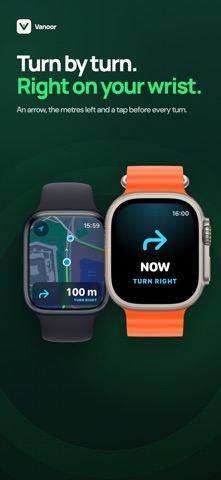
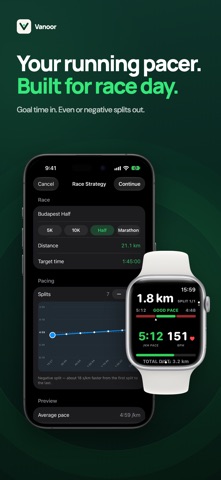
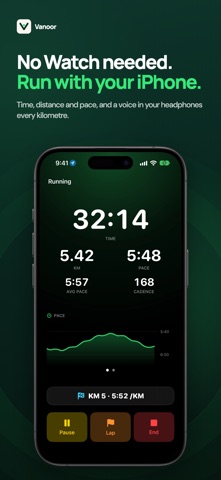
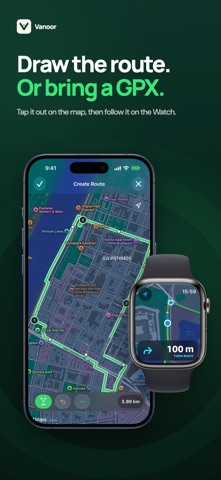
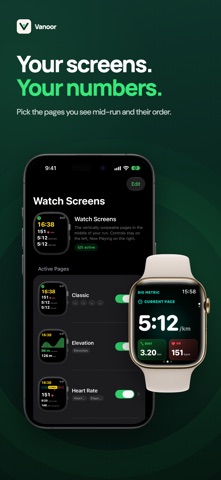
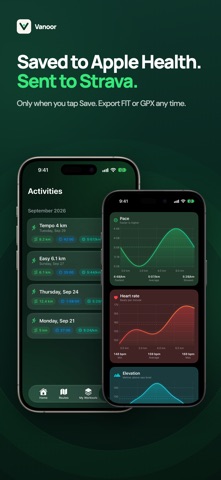
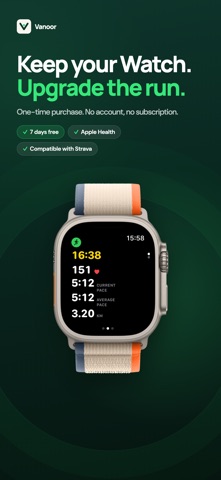
Vanoor turns your Apple Watch into a serious running watch. Follow GPX routes with turn-by-turn cues, pace your race split by split, and run structured workouts built by you or your AI assistant. No phone in your pocket, no subscription, no account. TURN-BY-TURN ROUTES ON YOUR WRIST Import a GPX on your iPhone or draw a route tap by tap. It syncs to your Watch with an offline map, so navigation works where reception drops. The Watch taps you about 60 m before each turn and again at the corner, and with headphones it says "In 60 metres, turn left." Two close turns come as one cue, and where a route crosses itself it tells you to go straight. Raise your wrist and the map turns with the compass; lower it and your running direction points up. The off-route alert taps you the moment you drift, and Back to Start takes you home. A RUNNING PACER FOR RACE DAY Pick the distance and goal time, choose a negative, even or positive split, and shape the pace curve by hand while the finish time stays fixed. On race day the Watch shows the split you are in, its pace band and where you sit inside it, with a buzz before every change of pace. No arithmetic at 35 km. STRUCTURED WORKOUTS Build intervals, tempo and threshold sessions: splits by distance or time, pace bands, heart rate zones, repeat blocks, rests and fuel reminders. Or ask your AI assistant for a plan and import the file it writes. The Watch announces every split and counts down the end of each recovery. One pace band setting, adjustable to the second, applies to every pace split. SEE HOW WELL YOU RAN IT After a planned run, every split with a target gets a score: the share of its time you spent inside the band. Open a split to see your pace drawn over the band and where you left it. Home shows your weekly score next to your distance. SPOKEN CUES, MUSIC KEEPS PLAYING Kilometre, split, turn and fuel cues come as a tap, a short spoken line, or both. With headphones on your iPhone the cues play there, and your music only gets quieter for a moment. A WATCH SCREEN BUILT FOR RUNNING Configurable pages (Classic, Big Metric, Pace, Heart Rate, Elevation, Map, Metronome) with cadence, power, stride length and ground contact time. All controls fit on one screen, including a Lap button. Auto-pause stops the clock only when your steps and your distance both stop, so a lost GPS signal does not pause your run. Walks and hikes can be recorded too. YOU DECIDE WHAT GETS SAVED At the end you rate your effort and choose Save or Discard. Save sends the run to Apple Health with route, heart rate, pace and elevation, and uploads it to Strava if connected. Discard sends nothing, and the run waits in Recently Deleted for 7 days. Export any run as FIT or GPX. PRIVATE BY DESIGN No account, no tracking. Routes and runs sync through your own iCloud and never touch our servers, because there are none. ONE-TIME PURCHASE Seven days free with every feature, then buy it once. No subscription, ever. In English, German, French, Spanish, Italian, Portuguese, Dutch, Hungarian, Japanese, Chinese and Korean, spoken cues included. Requires an iPhone (iOS 17 or later) and an Apple Watch with GPS (watchOS 10 or later). Try every feature free for 7 days. If Vanoor earns a place on your wrist, buy it once and keep it.
What's new · 1.5.5
• Vanoor asks once whether you'd like to share anonymous usage stats: a few milestones, like "first run finished", that show us where new runners get stuck. No location, no route data. Nothing is sent unless you say yes, and you can change it in Settings → About. • Small fixes.
Details