

Typtic Typst Editor
Daniel Kuster · Productivity
Independent analytics for this App Store listing. AppTracker is not affiliated with Daniel Kuster.
Chart standing · US
What changed · US
Listing changes AppTracker has observed for this app in this storefront — new versions, price moves, rating shifts, and store copy.
* Advanced navigation * Improved usability
In-app purchases · US
What this app sells inside itself, grouped by kind and priced for this storefront.
Screenshots
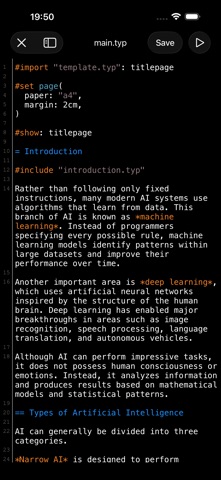


About
Typtic is a free, collaborative Typst Editor for your iOS device. It allows you to create and manage Typst projects directly on your iOS device and generate a PDF offline (enabled by default) or online (by using Verbosus). This software is provided "as is" without warranties or conditions of any kind, either expressed or implied. Features: * Use Typst to generate a PDF * Offline compilation (enabled by default) * Git integration (Local Mode) * iCloud integration (Local Mode) * Automatic Dropbox synchronization (Local Mode) * Automatic Box synchronization (Local Mode) * AI assistant (available in supported regions) * Zotero integration (Local Mode) * Mendeley integration (Local Mode) * 2 Modes: Local Mode (stores projects on your device) and Cloud Mode (synchronizes your projects with Verbosus) * No account needed (Local Mode) * Syntax highlighting * Hotkeys (see below, can be changed) * Two factor authentication (Cloud Mode, in combination with Copiosus) * Autosave (Local Mode) * No ads Additional features in Typtic Pro: * Unlimited number of projects (Local Mode) * Unlimited number of documents (Local Mode) * Unlimited number of projects (Cloud Mode) * Unlimited number of documents (Cloud Mode) Limitations in free Typtic version: * Max. number of projects (Local Mode): 2 * Max. number of documents per project (Local Mode): 2 * Max. number of files to upload per project (Local Mode): 2 * Max. number of projects (Cloud Mode): 2 * Max. number of documents per project (Cloud Mode): 2 Import or export existing projects (Local Mode): * Git integration lets you create a new or clone an existing repository. * Automatic Dropbox or Box synchronization (App -> Link to Dropbox or Box). Synchronization is done once a minute. If you experience any performance issues while using the editor please try * to disable syntax highlighting and line numbers * to split up your project into multiple .typ files Hotkeys in editor: ctrl+,: Settings ctrl+s: Save ctrl+g: Generate PDF ctrl+f: Find and replace ctrl+p: Toggle preview ctrl+n: New document ctrl+d: Delete document ctrl+.: Next document Terms of Use: https://www.apple.com/legal/internet-services/itunes/dev/stdeula
What's new · 1.0.7
* Advanced navigation * Improved usability
Details