

DockCat
Chiang Kao · Developer Tools
Independent analytics for this App Store listing. AppTracker is not affiliated with Chiang Kao.
Chart standing · US
What changed · US
Listing changes AppTracker has observed for this app in this storefront — new versions, price moves, rating shifts, and store copy.
API Token Sign-In You can now sign in directly with a Dockhand API token — no username and password needed. Useful for long-lived automation accounts or when you want to skip the credential flow. Reverse Proxy Support Added a "Connection Headers" section on the login screen. Use it to attach custom HTTP headers to every request — for Cloudflare Access service tokens, HTTP Basic Auth proxies, or other gateway authentication in front of your Dockhand server. Headers are stored securely on-device alongside your credentials. Two-Factor Authentication The login flow now supports Dockhand MFA. If your server requires an authenticator code, you'll be prompted to enter it inline without leaving the app. Bug Fixes and Improvements - Improved error messaging when credentials are rejected by the server - Better input validation on connection header fields
Ratings breakdown · US
The star breakdown behind this app's rating in this storefront.
In-app purchases · US
No in-app purchases.
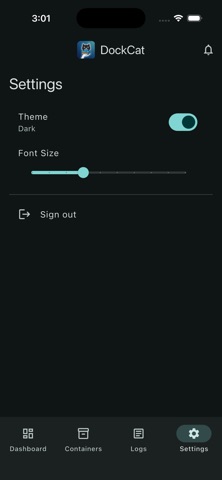
Screenshots


Keywords this app targets
Search terms AppTracker associates with this app — estimates, not search volume. ❝ = in the app's title; a highlighted number is its current position for that term.
Similar apps
Competitors and close alternatives, as estimated by AppTracker.
 dock-g
Sven Uwe Hanold
1 shared topic
dock-g
Sven Uwe Hanold
1 shared topic
 ServerCat - SSH Terminal
Early Moon, LLC
1 shared topic
ServerCat - SSH Terminal
Early Moon, LLC
1 shared topic
 Harbour - Docker Manager
Kacper Kaczmarzyk
2 shared topics
Harbour - Docker Manager
Kacper Kaczmarzyk
2 shared topics
 OpsCat - Server Monitor & SSH
望 余
1 shared topic
OpsCat - Server Monitor & SSH
望 余
1 shared topic
 Portainer Mobile: Docker Admin
UMEGS (SMC-PRIVATE) LIMITED
1 shared topic
Portainer Mobile: Docker Admin
UMEGS (SMC-PRIVATE) LIMITED
1 shared topic
 Container Manager
EZV, spol. s r.o.
1 shared topic
Container Manager
EZV, spol. s r.o.
1 shared topic
 Container Manager for Docker
Antonios Freris
1 shared topic
Container Manager for Docker
Antonios Freris
1 shared topic
 Docker Manager GUI - WhaleDeck
Florian Seida
1 shared topic
Docker Manager GUI - WhaleDeck
Florian Seida
1 shared topic
About
DockCat is a mobile companion for Dockhand, built for operators who manage containers and self-hosted infrastructure. Connect to your Dockhand server, switch between environments, view dashboard health, inspect containers, stream logs, and keep an eye on recent activity from iPhone. DockCat keeps server credentials on your device using secure storage and connects directly to the Dockhand server you choose.
What's new · 1.0.31
API Token Sign-In You can now sign in directly with a Dockhand API token — no username and password needed. Useful for long-lived automation accounts or when you want to skip the credential flow. Reverse Proxy Support Added a "Connection Headers" section on the login screen. Use it to attach custom HTTP headers to every request — for Cloudflare Access service tokens, HTTP Basic Auth proxies, or other gateway authentication in front of your Dockhand server. Headers are stored securely on-device alongside your credentials. Two-Factor Authentication The login flow now supports Dockhand MFA. If your server requires an authenticator code, you'll be prompted to enter it inline without leaving the app. Bug Fixes and Improvements - Improved error messaging when credentials are rejected by the server - Better input validation on connection header fields
Details