

Japanese Keyboard Trainer
deLily Apps, Inc. · Education
Independent analytics for this App Store listing. AppTracker is not affiliated with deLily Apps, Inc.
Chart standing · US
What changed · US
Listing changes AppTracker has observed for this app in this storefront — new versions, price moves, rating shifts, and store copy.
Big update! Every kana pronunciation and all of the Sensei's insults (or compliments, if you've set it to "nice mode") are now spoken in a clear, studio-quality Japanese voice. ありがとうございます!
Price & rating history · US
Reconstructed from the listing changes AppTracker has observed in this storefront. A field is charted once it has changed more than once, and each line starts at the value it moved from.
Average rating · ★ 5.00 now · 3 changes on record
Ratings breakdown · US
The star breakdown behind this app's rating in this storefront.
In-app purchases · US
What this app sells inside itself, grouped by kind and priced for this storefront.
Screenshots



About
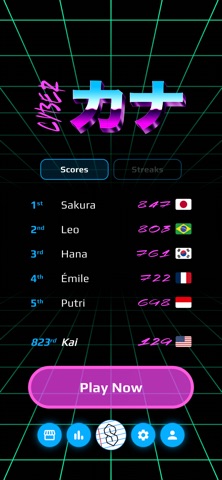
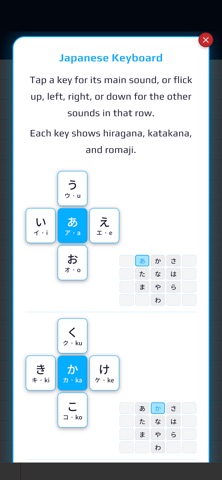
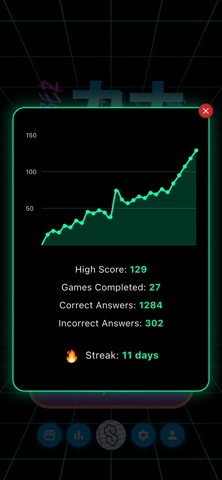
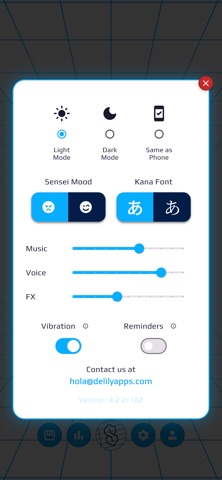
Ever notice that kana apps always split things in two? Hiragana now. Katakana… someday. (And then you never really learn a few of the katakana.) And why are we learning the stroke order as beginners? Are we going to paint someone a letter? No! We need to know how to type on that cool 12-key Japanese フリック入力 flick keyboard! Cyber Kana makes it fun and easy to learn the kana (hiragana and katakana side by side) and get really fast on the Japanese keyboard. Try it now! Be warned: A snarky Japanese-speaking sensei insults you mercilessly while you learn. がんばって! GAME MODE • Jam out to techno music while you race the clock. • Stuck on a kana? Tap "?" and the keyboard itself shows you exactly which keys to press and which way to flick. • Claim your spot on the Worldwide Leaderboard, ranked by Highest Scores and Longest Streaks! STUDY MODE • Flashcards with hiragana and katakana side by side. • Tap the card to reveal the romaji and hear the pronunciation. • Star the sounds you've learned, filter by type, and shuffle the deck. AND MORE • Game stats to track your progress over time. • Lots of customizable settings: Light Mode / Dark Mode, Fonts, Sensei Mood, Haptic Feedback, and more. • Optional: Sign in to save progress and sync across devices. Terms of Use (EULA): https://www.apple.com/legal/internet-services/itunes/dev/stdeula/
What's new · 4.4.7
Big update! Every kana pronunciation and all of the Sensei's insults (or compliments, if you've set it to "nice mode") are now spoken in a clear, studio-quality Japanese voice. ありがとうございます!
Details