

めやすみ 20-20-20ルールで、目に休憩を
AKIHIRO MATSUYAMA · Productivity
Independent analytics for this App Store listing. AppTracker is not affiliated with AKIHIRO MATSUYAMA.
Chart standing · US
What changed · US
Listing changes AppTracker has observed for this app in this storefront — new versions, price moves, rating shifts, and store copy.
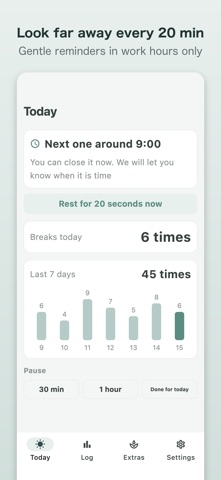
• iPad now uses two columns to make good use of the wide screen • Added a countdown ring to the rest screen • The home screen shows a 7-day chart of your breaks • Tidied up the Settings screen
Screenshots



About
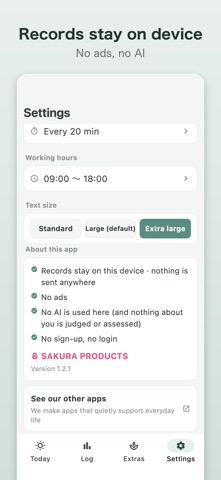
When you are deep in work on a computer or a phone, it is easy to forget to stop. Eye Rest is a simple reminder of the 20-20-20 rule. [What the 20-20-20 rule is] Every 20 minutes, look at something about 20 feet (roughly 6 metres) away for about 20 seconds, and let your eyes rest. It is a widely shared guideline. It is not a guarantee of any effect. If pain or discomfort in your eyes continues, please see an eye doctor rather than putting up with it. [How Eye Rest works] - Set your working hours once. There is no "start" and "finish" to press every morning - Only during those hours, every 20 minutes, it says it is time to look far away - It stays silent outside your hours and at night - Tap the reminder and a 20-second screen opens - You can see how many rests you took today (the count never goes down) [Gentle by design] - It does not rush you and does not scold you - No AI is used (it makes no judgements and no diagnoses) - Records stay inside this device only, and are never sent anywhere - No ads. Free to start [Free, and one-time purchase] - Free: reminders within your hours, the 20-second rest screen, today's record, a 7-day chart - One-time purchase: unlocks Look back (weekly and monthly charts). Not a subscription; you pay once Between tasks, look far away and take a breath. That is Eye Rest.
What's new · 1.2.1
• iPad now uses two columns to make good use of the wide screen • Added a countdown ring to the rest screen • The home screen shows a 7-day chart of your breaks • Tidied up the Settings screen
Details