

Print Exact: Real Size
heekyung moon · Utilities
Independent analytics for this App Store listing. AppTracker is not affiliated with heekyung moon.
Chart standing · US
What changed · US
Listing changes AppTracker has observed for this app in this storefront — new versions, price moves, rating shifts, and store copy.
When a PDF can’t be imported directly, you can now choose a page photo instead. The selected JPG, PNG, or photo inherits the PDF MediaBox’s physical width and height, preserving the intended print size. Canceling clears the pending size, while supported single-image PDFs continue to import as before.
Screenshots

About
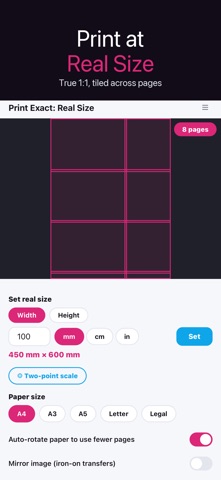
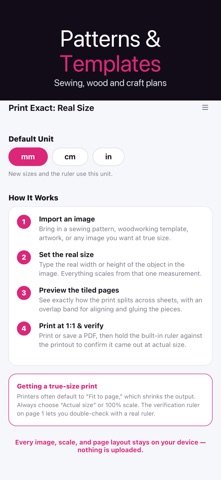
▶ Print at true, real-world size. Print Exact takes your image or PDF and outputs it at exact physical dimensions, so a pattern, template or design comes off the printer at 1:1. ▶ Set the size the way that fits your job. Type the width and height, or drop two points on the drawing and enter the real distance between them — the whole page scales from that reference line. ▶ Bigger than a page? Tiling splits your design across A4 or Letter sheets with overlap and crop marks, so you can trim and tape a full-size poster or pattern together. ▶ Mirror the page for iron-on transfers and stencils. The image flips; crop marks and the check ruler stay readable. ▶ Trust the output. A printed check ruler lets you measure the page against a real ruler and confirm your printer didn't quietly shrink it to fit. ▶ Works fully on your device with standard AirPrint — sewing patterns, woodworking templates, art tracing, framed photos at exact dimensions. No account needed. Accuracy depends on your printer settings — some drivers rescale to fit the margins. Always print the check ruler first and turn off any fit-to-page option. Results are as exact as your printer allows.
What's new · 1.2.4
When a PDF can’t be imported directly, you can now choose a page photo instead. The selected JPG, PNG, or photo inherits the PDF MediaBox’s physical width and height, preserving the intended print size. Canceling clears the pending size, while supported single-image PDFs continue to import as before.
Details