

CNC Machinist Calculator +
heekyung moon · Utilities
Independent analytics for this App Store listing. AppTracker is not affiliated with heekyung moon.
Chart standing · US
What changed · US
Listing changes AppTracker has observed for this app in this storefront — new versions, price moves, rating shifts, and store copy.
Speeds & Feeds now shows a result the moment you open it: blank fields use a 10 mm (0.375 in) tool, 4 flutes and a suggested chip load kept at or below a published carbide end-mill slotting chart, and anything you type replaces them. A new end-mill diagram shows the flute count and chip load per tooth, the result numbers are larger, and the app now fully speaks Czech, Danish, Finnish, Hebrew and Dutch.
In-app purchases · US
No in-app purchases.
Screenshots


About
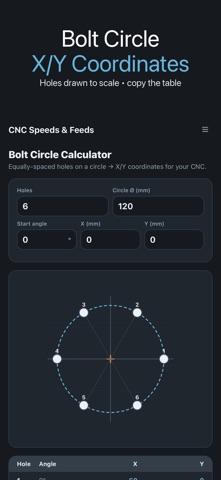
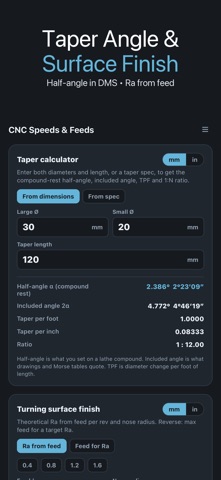
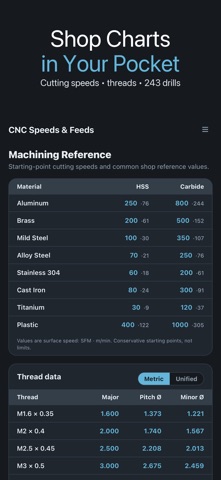
Speeds and feeds for CNC milling in one tap: pick a material and HSS or carbide, and the spindle RPM and feed rate appear straight away. Tap drill, bolt circle, taper and turning surface finish sit alongside, so the numbers a machinist reaches for all day are in one shop app that works offline, in inches or millimetres. ▶ SPEEDS & FEEDS • 8 workpiece materials: aluminum, brass, mild steel, alloy steel, stainless 304, cast iron, titanium and plastic • HSS or carbide tooling, with the starting cutting speed shown in SFM or m/min • Enter tool diameter, flute count and chip load (feed per tooth) to read spindle RPM and table feed in in/min or mm/min • Leave a field blank and the app fills in a starting value: a 10 mm (0.375 in) tool, 4 flutes and a suggested chip load kept at or below a published carbide end-mill slotting chart, so you see a result the moment you open it. Type your own numbers and they replace the suggestions • End-mill diagram shows the flute count and chip load per tooth for the setup on screen • Save up to 50 named presets and reload a whole setup in one tap ▶ TAP DRILL • Metric (20 sizes) and Unified UNC/UNF (33 sizes) threads • Thread engagement from 50% to 85% in 5% steps, 75% as the shop default • Theoretical tap-drill size plus the nearest standard drill ▶ BOLT CIRCLE • Hole count, circle diameter, start angle and centre X/Y give the X/Y coordinates of every hole, drawn to scale • Tap a row to copy its coordinates, or copy the whole table for the control ▶ TAPER & TURNING • Taper from two diameters and a length, or from an included angle, taper per foot or a 1:N ratio: compound-rest half-angle, included angle, taper per foot and per inch, in decimal degrees and degrees-minutes-seconds • Turning surface finish: theoretical Ra and Rt from feed per rev and nose radius, or the maximum feed for a target Ra ▶ REFERENCE • Cutting speed table by material for HSS and carbide • Drill size chart with 243 number, letter, fractional and metric sizes, searchable • Thread pitch and minor diameters, drill point depth and typical surface-finish ranges All values are conservative starting points from published data, not guarantees. Always check against your tooling, machine and setup, start slow and increase.
What's new · 1.3.7
Speeds & Feeds now shows a result the moment you open it: blank fields use a 10 mm (0.375 in) tool, 4 flutes and a suggested chip load kept at or below a published carbide end-mill slotting chart, and anything you type replaces them. A new end-mill diagram shows the flute count and chip load per tooth, the result numbers are larger, and the app now fully speaks Czech, Danish, Finnish, Hebrew and Dutch.
Details