

Deck: Save Links & Bookmarks
Anatoli Petrosyants · Productivity
Independent analytics for this App Store listing. AppTracker is not affiliated with Anatoli Petrosyants.
Chart standing · US
What changed · US
Listing changes AppTracker has observed for this app in this storefront — new versions, price moves, rating shifts, and store copy.
Deck stays free to save, free to organize, free to sync. No account, no subscription, no tracking same as day one. Found a bug or want something added? Settings › Ideas? Bugs? Contact us.
Screenshots



About
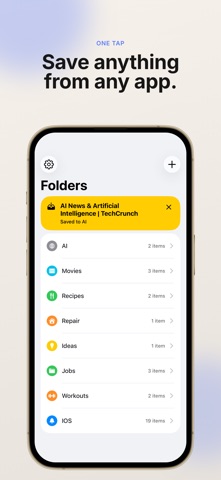
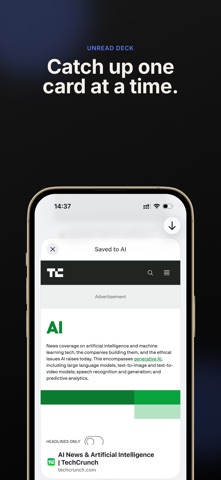
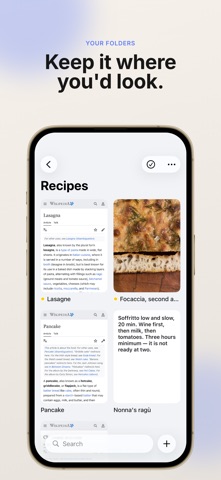
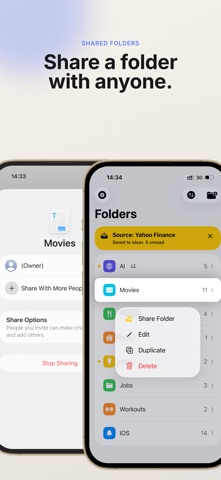
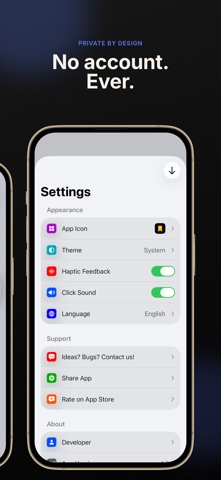
Save a link in one tap. Read it later, when you actually have time. No account, ever. Deck is a tidy, personal place for the links you keep meaning to come back to. Tap Share in Safari, Messages, or any other app, pick a folder, and it's saved. That's the whole thing. NO ACCOUNT. NO SERVER. NO SUBSCRIPTION. There is no sign-up screen, because there is nothing to sign up for. Your saves live in your own iCloud, synced across your iPhone, iPad, and Mac. Deck has no server, collects nothing, and tracks nothing so there is no service here that can be shut down and take your links with it. SAVE ANYTHING, FROM ANYWHERE • Links, images, text, and PDFs, straight from the share sheet • "Save to Deck" in the Actions row for one-tap saving • Add a link, note, or photo by hand from inside any folder • Paste a link you just copied Deck offers it before you ask FOLDERS THAT WORK LIKE YOU DO • Make your own folders a color and an icon each, dragged into the order you want • Duplicate a folder, rename it, or clear it out whenever • Four ways to look at a folder: List, Cards, Masonry, and Headlines • Search inside a folder to find that one link again KNOW WHAT YOU HAVEN'T READ Unopened saves get a quiet dot, and folders show how many are waiting. Tap the row on the home screen and everything unread comes up as a stack of cards you flip through one at a time. BUILT FOR iOS, NOT PORTED TO IT Written in SwiftUI for iPhone, iPad, and Mac. Links open in their own app when they have one YouTube in YouTube, a recipe in its app and in a fast built-in browser when they don't. Photos keep their details. PDFs open in a real reader. Available in nine languages, with light, dark, and system themes, plus a second app icon. DECK PRO ONE PAYMENT, KEPT FOREVER Saving, folders, search, and iCloud sync are free and stay free. Pro is a single small purchase, not a subscription, and unlocks: • Summarize any save with on-device AI private, offline, nothing sent anywhere • Share a folder with family or friends, with no account needed on either side • Reopen your last save in one tap Recipes with your partner. Gift ideas with your family. Trip links with whoever you're travelling with. Everyone sees the same folder, nobody makes an account. PRIVACY, PLAINLY Deck collects no data. There is no analytics SDK, no tracking, no advertising, and no company database holding your links. Everything is in your iCloud, under your Apple Account, where it stays. Download Deck, save the first link that's been sitting in a tab for a week, and close the tab.
What's new · 1.10.5
Deck stays free to save, free to organize, free to sync. No account, no subscription, no tracking same as day one. Found a bug or want something added? Settings › Ideas? Bugs? Contact us.
Details