

RawCut: AI Video Editor&Clips
od ooster · Photo & Video
Independent analytics for this App Store listing. AppTracker is not affiliated with od ooster.
Chart standing · US
What changed · US
Listing changes AppTracker has observed for this app in this storefront — new versions, price moves, rating shifts, and store copy.
• Search in your own language: type what you're looking for in English, Dutch, German, Spanish, French or Portuguese, and RawCut finds it in your clips. If nothing matches, it says so instead of showing unrelated clips. • Exports no longer fail on clips with silent sound, such as screen recordings or videos made with RawCut. If an export does fail, you now get a clear message. • Slow-motion clips and other videos edited in Photos now load properly. • Captions always stay clear of the watermark. • Re-cuts are now counted per video, and your saved videos show when you've edited them since saving. • If RawCut can't access your Photos, it tells you why and takes you to Settings. • Faster start: your video ideas stay the same when you reopen the app. • Smaller fixes: a check before deleting a clip, a warning before you stop an export, and better layout with large text sizes.
Screenshots



About
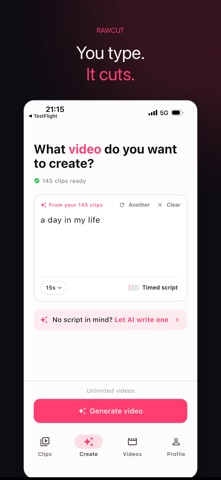
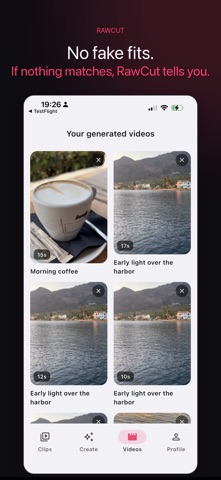
Real videos from your own footage. No stock, no AI-generated filler. Turn your camera roll into finished TikToks, Reels, and Shorts, from nothing but a script. Your camera roll is full of great moments; RawCut finds them and cuts them together. Write one line per moment, and the AI reads your clips, finds the exact seconds that match, and cuts a ready-to-post 9:16 video. Your words, your footage, zero timeline dragging. HOW IT WORKS Add clips Write your script: scenes, moments, or the words you say on camera Tap Create, AI matches every line to the right clip and cuts it Fine-tune: trim, reorder, add on-screen text, or regenerate for a fresh cut Save or share, ready to post on TikTok, Reels, or Shorts MADE FOR CREATORS B-roll-only mode for faceless content Honest results: if no clip fits a line, RawCut tells you instead of faking it Your videos never leave your iPhone. Only small snapshots are analyzed, once. No ads. Free to try. Your first videos are on us. Terms of Use (EULA): https://www.apple.com/legal/internet-services/itunes/dev/stdeula/ Privacy Policy: https://www.rawcutapp.com/privacy
What's new · 1.8.0
• Search in your own language: type what you're looking for in English, Dutch, German, Spanish, French or Portuguese, and RawCut finds it in your clips. If nothing matches, it says so instead of showing unrelated clips. • Exports no longer fail on clips with silent sound, such as screen recordings or videos made with RawCut. If an export does fail, you now get a clear message. • Slow-motion clips and other videos edited in Photos now load properly. • Captions always stay clear of the watermark. • Re-cuts are now counted per video, and your saved videos show when you've edited them since saving. • If RawCut can't access your Photos, it tells you why and takes you to Settings. • Faster start: your video ideas stay the same when you reopen the app. • Smaller fixes: a check before deleting a clip, a warning before you stop an export, and better layout with large text sizes.
Details