

StuffKeeper - Expiry Tracker
少锋 黎 · Utilities
Independent analytics for this App Store listing. AppTracker is not affiliated with 少锋 黎.
Chart standing · US
What changed · US
Listing changes AppTracker has observed for this app in this storefront — new versions, price moves, rating shifts, and store copy.
Stuff Keeper 1.3.0 brings the following updates: - Added Shopping List with batch selection, scanning, and iCloud sync. - Quickly stock in products from your Shopping List. Products are automatically removed after a successful stock-in. - Automatically add products to your Shopping List when taking them out. Set your preferred default in Business Settings. - Added Shopping List instructions to the User Guide, with red-dot indicators for new or updated chapters. - Improved iCloud sync and product information display for a more reliable experience. ========================================= Stuff Keeper 1.2.0 includes: - Added daily local expiry reminders with a customizable notification time. Notifications are sent only when products have expired or will expire within 7 days. - Added barcode and QR code scanning for Stock In and Stock Out workflows. - Added location codes. Scan a location code to quickly view products stored in that location and its sublocations. - Location codes can now be generated automatically, entered by scanning, or copied for creating your own QR code labels. - Long-press the center button on the Home screen to switch between Scan In, Manual Entry, and Scan Out. - Added an in-app User Guide, along with settings, interaction, and stability improvements.
In-app purchases · US
What this app sells inside itself, grouped by kind and priced for this storefront.
Screenshots

About
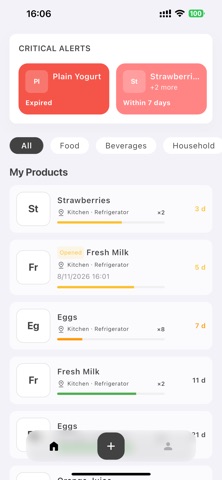
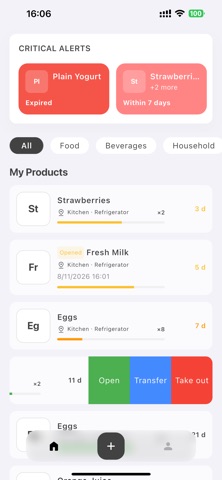
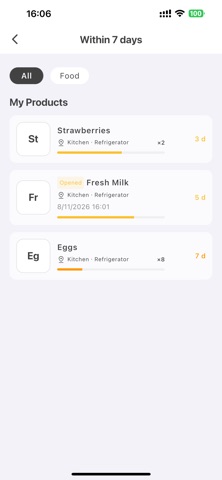
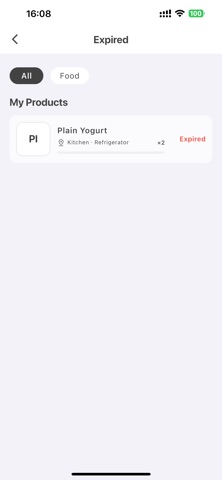
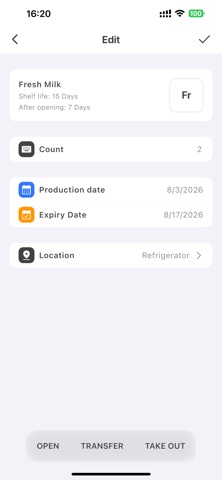
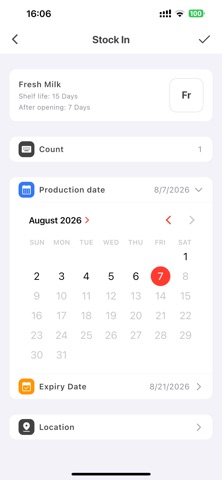
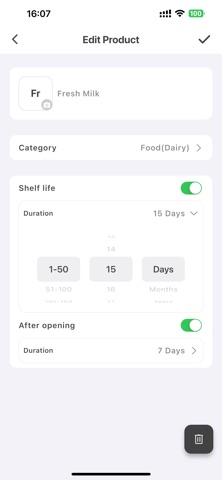
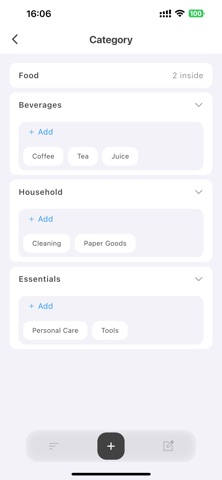
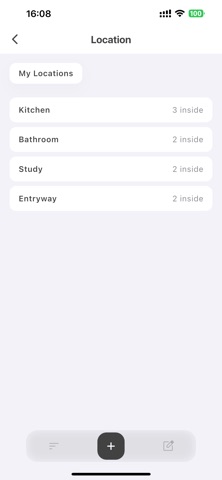
Where did I put it? When does it expire? Stuff Keeper helps you organize food, household supplies, and everyday items while keeping their quantities, locations, and expiry status easy to understand. PRODUCT PROFILES Save each product’s name, image, category, shelf life, and shelf life after opening. When you stock the same product again, there is no need to re-enter its basic information. INVENTORY AND DATES Record quantities, production dates, expiry dates, opening times, and storage locations. Keep every active inventory record clear and up to date. EXPIRY AT A GLANCE See expired and soon-to-expire items together on the home screen. Remaining-day indicators help you decide what to use first. CATEGORIES AND LOCATIONS Organize items with product categories and multi-level storage locations. Whether something is in the kitchen, refrigerator, or storage cabinet, its location is easy to find. QUICK INVENTORY ACTIONS Stock items in, mark them as opened, move them to another location, or take them out with convenient inventory actions. OPTIONAL ICLOUD SYNC Your data is stored locally by default. When iCloud sync is enabled, product profiles, inventory records, categories, locations, and images can be kept updated across your Apple devices. PERSONALIZED EXPERIENCE Stuff Keeper supports English, Simplified Chinese, Traditional Chinese, Japanese, and Korean. System, Light, and Dark appearance modes are also available. No account or registration is required to use the core organization tools. Upgrade to PRO to remove quantity limits for product profiles, categories, storage locations, location levels, and active inventory records. Stuff Keeper PRO is available as an auto-renewable monthly subscription, a one-month pass, or a lifetime purchase. For the auto-renewable monthly subscription, payment will be charged to your Apple Account when the purchase is confirmed. The subscription automatically renews unless canceled at least 24 hours before the end of the current subscription period. You can manage or cancel your subscription in your Apple Account subscription settings after purchase. Privacy Policy: https://lishaofeng0903.github.io/stuff-keeper-legal/privacy/ Terms of Use: https://lishaofeng0903.github.io/stuff-keeper-legal/terms/
What's new · 1.3.0
Stuff Keeper 1.3.0 brings the following updates: - Added Shopping List with batch selection, scanning, and iCloud sync. - Quickly stock in products from your Shopping List. Products are automatically removed after a successful stock-in. - Automatically add products to your Shopping List when taking them out. Set your preferred default in Business Settings. - Added Shopping List instructions to the User Guide, with red-dot indicators for new or updated chapters. - Improved iCloud sync and product information display for a more reliable experience. ========================================= Stuff Keeper 1.2.0 includes: - Added daily local expiry reminders with a customizable notification time. Notifications are sent only when products have expired or will expire within 7 days. - Added barcode and QR code scanning for Stock In and Stock Out workflows. - Added location codes. Scan a location code to quickly view products stored in that location and its sublocations. - Location codes can now be generated automatically, entered by scanning, or copied for creating your own QR code labels. - Long-press the center button on the Home screen to switch between Scan In, Manual Entry, and Scan Out. - Added an in-app User Guide, along with settings, interaction, and stability improvements.
Details