

Flower Keyboard: Themes
Phuc Pham · Utilities
Independent analytics for this App Store listing. AppTracker is not affiliated with Phuc Pham.
Chart standing · US
What changed · US
Listing changes AppTracker has observed for this app in this storefront — new versions, price moves, rating shifts, and store copy.
Bug fixes and performance improvements.
In-app purchases · US
What this app sells inside itself, grouped by kind and priced for this storefront.
Screenshots




About
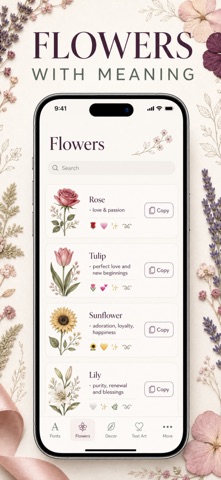
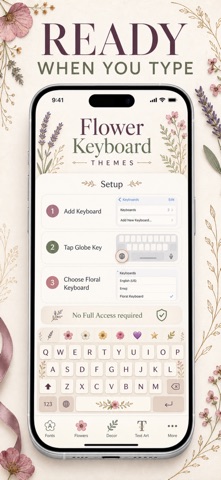
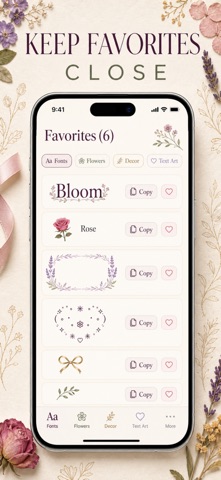
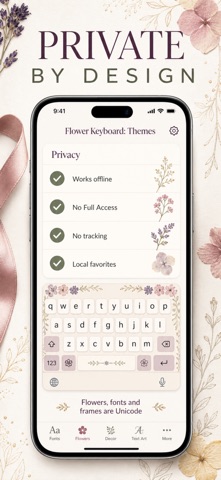
Flower Keyboard turns everyday typing into something pretty. Style your messages, captions, and bios with elegant fonts, flowers full of meaning, and hand-picked decorative frames — straight from your iPhone keyboard, in any app. WHAT YOU GET • 24 fancy fonts — type once and instantly see your text in Bold, Italic, Script, Gothic, Outline, Typewriter, Circled, Bubble, Small Caps, Upside Down, and more Unicode styles. • The language of flowers — 20 blossoms, each paired with its traditional floriography meaning, plus a grid of 40 petal and floret symbols. • Decorative frames — wrap any name or phrase in 16 flower frames, perfect for bios, usernames, and captions. • Flower text art — 24 ready-made kaomoji and text-art pieces. Tap to copy, swipe to save your favorites. • Works everywhere — Messages, Instagram, TikTok, Notes, WhatsApp, and any app with a text field. • Private by design — no account, no tracking, and Full Access is never required. Everything runs offline from a catalog stored on your device. HOW TO ENABLE 1. Open Settings → General → Keyboard → Keyboards → Add New Keyboard. 2. Pick Flower Keyboard from the list. 3. While typing, hold the globe key and switch to it. Perfect for flower lovers, aesthetic Instagram and TikTok pages, wedding planners, journal fans — anyone tired of plain text. An optional Flower Keyboard Pro subscription unlocks premium accents and supports development. Terms https://web-levi.web.app/terms • Privacy https://web-levi.web.app/privacy-policy • Support tphuc.work@gmail.com
What's new · 1.1
Bug fixes and performance improvements.
Details