

MoGuan PDF – Offline & Private
正平 孙 · Productivity
Independent analytics for this App Store listing. AppTracker is not affiliated with 正平 孙.
Chart standing · US
What changed · US
Listing changes AppTracker has observed for this app in this storefront — new versions, price moves, rating shifts, and store copy.
· Administrative update: the Simplified Chinese app name now reads 墨观PDF, matching our filing record exactly. · No functional changes. Every tool behaves exactly as it did in 2.2.
In-app purchases · US
No in-app purchases.
Screenshots





About
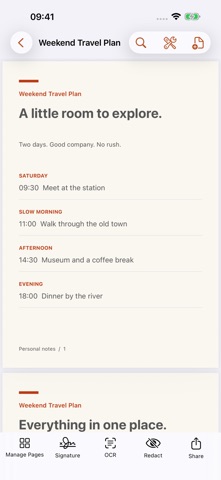
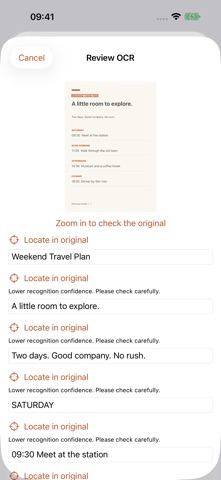
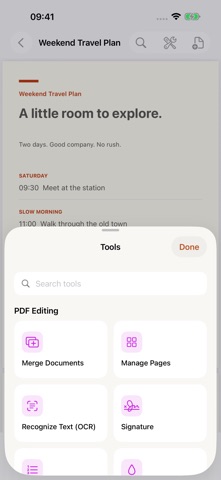
MoGuan PDF is an on-device toolkit for PDFs and photos. Redact sensitive content, scan, recognize text, sign, merge, protect, translate, and export on iPhone and iPad. Your files are processed on your device and are not uploaded. REDACT • Import a photo or PDF, then select the areas you want removed • Detect likely phone numbers, account numbers, and faces for your review • Selected areas are baked into a rasterized export instead of covered by a removable overlay • The finished file is checked again across final pixels and its text layer • Automated checks can miss content, so review the result before sharing READ, SCAN & OCR • Open PDFs from Files or another app and return to recent documents • Search inside documents with highlighted results • Scan multiple pages or turn selected photos into a PDF • Make scans searchable and copyable with on-device OCR EDIT & PROTECT • Add a handwritten signature, page numbers, and watermarks • Merge, extract, delete, reorder, and rotate pages • Export a copy, compress, split, or apply an opening password • Cancel long operations without replacing your source document PHOTO TOOLS • Remove unwanted areas, colorize old photos, enlarge images, and stitch long images • Read receipts, split book spreads, scan QR codes, and add optional time or location stamps • Turn captured text into Word or Excel output • Create portrait photos with background choices and print layouts PHOTO TRANSLATION Photo translation uses Apple Translation on the device. The first time you use a language, iOS may need to download its language pack. PRIVACY There is no account, advertising, or tracking. The App Store privacy label is Data Not Collected. Your source files stay under your control. Requires iOS 17 or later. Some system features depend on the iOS version and supported hardware.
What's new · 2.2.1
· Administrative update: the Simplified Chinese app name now reads 墨观PDF, matching our filing record exactly. · No functional changes. Every tool behaves exactly as it did in 2.2.
Details