

Drawing Projector: AR Trace
TUSE TECH LLP · Graphics & Design
Independent analytics for this App Store listing. AppTracker is not affiliated with TUSE TECH LLP.
Chart standing · US
What changed · US
Listing changes AppTracker has observed for this app in this storefront — new versions, price moves, rating shifts, and store copy.
Price & rating history · US
Reconstructed from the listing changes AppTracker has observed in this storefront. A field is charted once it has changed more than once, and each line starts at the value it moved from.
Average rating · ★ 1.50 now · 3 changes on record
Ratings breakdown · US
The star breakdown behind this app's rating in this storefront.
In-app purchases · US
What this app sells inside itself, grouped by kind and priced for this storefront.
Screenshots



About
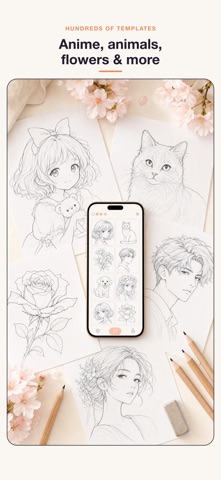
Turn any photo or template into traceable line art — then project it live through your camera onto paper and trace with a real pencil. Drawing Projector: AR Trace converts your image to clean edge art on-device (no internet required), then overlays it semi-transparent over your live camera feed. Position your phone above the paper, adjust opacity, lock the frame, and trace stroke by stroke — just like a classic drawing projector, right from your pocket. CORE FEATURES • Camera lightbox overlay — project any image as transparent line art onto paper • Opacity & lock controls — dial in the perfect trace opacity, freeze the frame while you draw • Flashlight & grid — illuminate your paper and keep proportions true • Photo to line art — convert any photo to traceable edges, entirely on-device • Built-in template library — anime characters, animals, flowers, and more to start instantly • Timelapse recording — every tracing session is captured frame-by-frame; export your draw-with-me video and share it • Daily draw streak — build a habit with a streak counter and local reminder each day • Progress gallery — before/after view of every finished project WORKS OFFLINE Import, convert, trace, and export your entire session in Airplane Mode. All processing is on-device. Creative tracing aid — camera lightbox for drawing. See Settings → Legal for full disclaimer. EULA - https://www.apple.com/legal/internet-services/itunes/dev/stdeula/
What's new · 1.2.2
Fixed minor bugs for a smoother, more reliable app experience.
Details