

Tape Measure : Ring Size
Meric Gller · Utilities
Independent analytics for this App Store listing. AppTracker is not affiliated with Meric Gller.
Chart standing · US
What changed · US
Listing changes AppTracker has observed for this app in this storefront — new versions, price moves, rating shifts, and store copy.
Measuring now guides you step by step — the app tells you what to do next, from finding a surface to saving your first measurement. NEW • On-screen coach with the next action at every stage • The crosshair turns green with haptic feedback the moment a surface is found • A clear Save button appears as soon as your measurement is ready IMPROVED • Go straight into measuring after setup — nothing in the way of your first measurement • Clearer corner-by-corner guidance in Area mode Thanks for measuring with us. Questions or ideas? Reach us from Settings.
In-app purchases · US
What this app sells inside itself, grouped by kind and priced for this storefront.
Screenshots


About
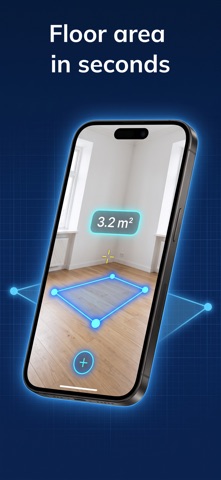
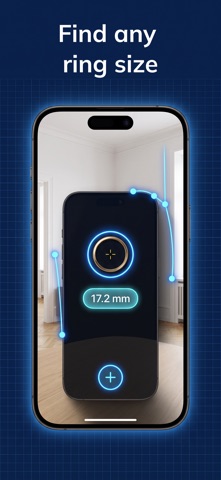
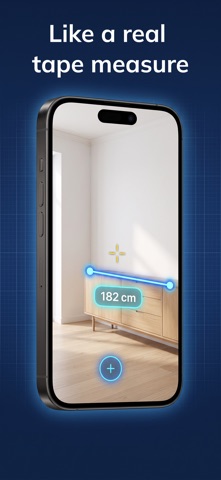
Measure anything with your camera. Point, tap, done — your iPhone becomes an AR measuring tool. MEASURE DISTANCES Tap two points to measure. Chain points to measure like a real tape. LIVE TAPE MODE Drop a point and pull — the distance updates live as you move, with haptic ticks. AREA & PERIMETER Tap the corners of a floor, wall or table to get area and perimeter instantly. RING SIZER Find your ring size at home. Calibrate once with a bank card and match any ring on screen. SAVED HISTORY Every measurement is saved automatically. Rename, review and share whenever you need. UNITS Switch between metric (m, cm, mm) and imperial (ft, in) with one tap. SNAPSHOT & SHARE Capture your measurement with overlays and share it. Note: AR measurements are approximate (±1–2 cm) and are not a substitute for professional tools. Premium unlocks unlimited history, area measurement and the ring sizer. Payment is charged to your Apple ID account. Subscriptions renew automatically unless cancelled at least 24 hours before the end of the current period. Terms of Use (EULA): This app uses Apple's standard EULA: https://www.apple.com/legal/internet-services/itunes/dev/stdeula/ Privacy Policy: https://docs.google.com/document/d/1VTP4tpVMS5_EEFfYYFawgPgpUz2D17wce9fEVa_SVEY/edit?usp=sharing
What's new · 1.2
Measuring now guides you step by step — the app tells you what to do next, from finding a surface to saving your first measurement. NEW • On-screen coach with the next action at every stage • The crosshair turns green with haptic feedback the moment a surface is found • A clear Save button appears as soon as your measurement is ready IMPROVED • Go straight into measuring after setup — nothing in the way of your first measurement • Clearer corner-by-corner guidance in Area mode Thanks for measuring with us. Questions or ideas? Reach us from Settings.
Details