

ArtCut
ENERHUB TRADE PRIVATE LIMITED · Photo & Video
Independent analytics for this App Store listing. AppTracker is not affiliated with ENERHUB TRADE PRIVATE LIMITED.
Chart standing · US
What changed · US
Listing changes AppTracker has observed for this app in this storefront — new versions, price moves, rating shifts, and store copy.
- Fixed a black-screen issue when previewing a single imported video. - Fixed crashes when exporting standard, filtered, or captioned videos. - Reworked the rendering pipeline for captions, stickers, drawings, and borders to improve export stability. - Fixed missing or inconsistent filters and captions in exported videos. - Fixed inconsistencies between the editor preview and the final exported video. - Fixed a CocoaPods framework copy failure during installation on physical devices. - Added safeguards for missing video tracks, invalid durations, corrupted drafts, and unavailable media. - Improved the media relinking and recovery workflow. - Improved export cancellation, failure handling, and retry behavior. - Fixed state synchronization issues across the timeline, trimming, splitting, audio, captions, filters, and export preview. - Fixed layout and visibility issues on iPad in landscape and split-screen modes. - Updated draft and timeline thumbnails to use actual video frames. - Improved support for iPhone, iPad, portrait, and landscape layouts. - Improved localization for 25 languages and permission dialogs. - Recreated the Chinese and English App Store screenshot sets for the iPhone 6.5-inch and iPad 13-inch display classes.
Ratings breakdown · US
The star breakdown behind this app's rating in this storefront.
Screenshots


About
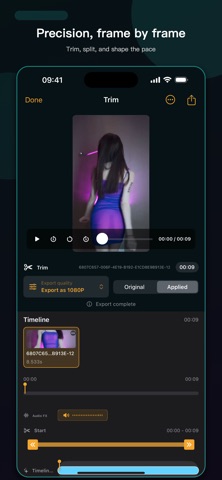
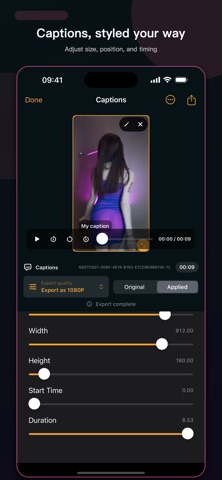
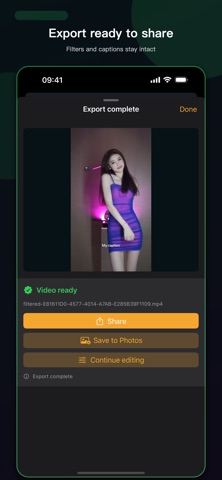
ArtCut is a local-first video editing app for everyday creators. Import multiple clips from Photos, arrange them on a timeline, trim, split, adjust speed, apply slow motion, reverse clips, and add transitions. You can also add borders, captions, stickers, doodles, mosaic areas, cover titles, and picture-in-picture frames. The app is built with SwiftUI and AVFoundation. Core editing work is handled on device where possible, and the main workflow does not require an account. Exported videos can be shared or saved to Photos. Drafts are stored locally so you can continue editing later. Key features: - Multi-clip import and timeline stitching - Trim, split, speed change, slow motion, and reverse rendering - Scale, rotate, flip, and border controls - Captions, stickers, cover titles, doodles, mosaics, and picture-in-picture - Cross-track transitions including dissolve, slide, and flash - Automatic captions using Apple's speech recognition framework - Volume, mute, fade in/out, and audio extraction - Local drafts, undo/redo, and cache cleanup - HD video export, sharing, and saving to Photos - No account required, with local drafts and manageable caches ArtCut is designed for daily clips, travel videos, class materials, social posts, and personal portfolios.
What's new · 1.0.8
- Fixed a black-screen issue when previewing a single imported video. - Fixed crashes when exporting standard, filtered, or captioned videos. - Reworked the rendering pipeline for captions, stickers, drawings, and borders to improve export stability. - Fixed missing or inconsistent filters and captions in exported videos. - Fixed inconsistencies between the editor preview and the final exported video. - Fixed a CocoaPods framework copy failure during installation on physical devices. - Added safeguards for missing video tracks, invalid durations, corrupted drafts, and unavailable media. - Improved the media relinking and recovery workflow. - Improved export cancellation, failure handling, and retry behavior. - Fixed state synchronization issues across the timeline, trimming, splitting, audio, captions, filters, and export preview. - Fixed layout and visibility issues on iPad in landscape and split-screen modes. - Updated draft and timeline thumbnails to use actual video frames. - Improved support for iPhone, iPad, portrait, and landscape layouts. - Improved localization for 25 languages and permission dialogs. - Recreated the Chinese and English App Store screenshot sets for the iPhone 6.5-inch and iPad 13-inch display classes.
Details