

Routinely: Habits & Routines
joseph hamawi · Productivity
Independent analytics for this App Store listing. AppTracker is not affiliated with joseph hamawi.
Chart standing · US
What changed · US
Listing changes AppTracker has observed for this app in this storefront — new versions, price moves, rating shifts, and store copy.
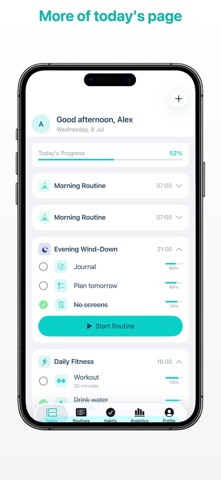
A new home screen. Your week sits across the top, today's routine is the biggest thing on the page, and daily insights sit underneath it. Start, Done and Skip are now one tap each. Mark a routine done and you can say how long it actually took, which is what the app learns from. Tap any day in the week strip to look back at it, or to log something you did earlier. Delete routines and habits for good, history included, when archiving isn't what you wanted. Eighteen icon colours instead of six. Find a partner by typing their name or email, and accept an invitation right where you see it. Quieter notifications. Routine reminders are the only ones the app sends now.
Screenshots



About
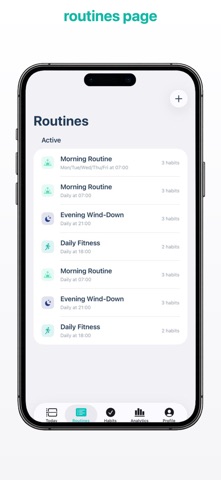
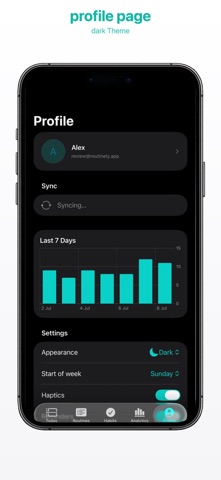
Routinely builds your day around routines, not a wall of checkboxes. A routine is a short sequence you run at a set time. Morning. Post-work. Wind-down. You start it, work through it, and finish. That structure does the remembering for you, which is why it works when a plain habit list stops working. BUILT FOR ADHD BRAINS If open-ended lists make you freeze, this is for you. Routinely puts one thing on screen at a time, walks you through a routine step by step in a focus session, and lets you stack reminders as densely as you need. Miss a day and nothing resets to zero. FORGIVING BY DESIGN Most habit apps punish you. Miss one day, lose your 60-day streak, delete the app. Routinely scores each habit on strength from 0 to 100%. A missed day nudges it down. It never wipes it out. Freeze tokens protect a streak on the days life gets in the way. WHAT YOU GET Routines: time-blocked sequences of habits, with a guided focus session and a live timer. Build and quit: track habits you want to start and ones you want to stop. Quit habits count the days you've stayed clean. Flexible targets: yes/no, counts, minutes, or any unit you name. Reminders: as many times a day as you want, per habit, with a choice of sounds. Home Screen widgets: check habits off without opening the app. Lock Screen and Apple Watch too. Apple Health: link a habit to steps, exercise minutes, mindful minutes, sleep, active energy, stand hours or water, and it verifies itself. Mood tracking: one tap a day, then see how your mood lines up with the days you follow through. Habit diary: write a note on any day and read the whole history back. Focus sounds: rain, wind, waves or brown noise while you work through a routine. Analytics: a year-long consistency heatmap, 30-day trends, your best weekday, and habit strength for everything you track. Weekly recap: a shareable card summing up your week, month or year. Accountability partners: share a streak with a friend, nudge each other, and compare check-in counts on a weekly leaderboard. Photo proof: capture a photo to log a check-in when you want the extra push. Apple Calendar: your scheduled routines appear in the Calendar app, in a Routinely calendar of their own. Face ID lock, dark mode, and sync across your devices through your Routinely account. PRIVACY Your habits stay yours. No ads. No analytics SDKs. No data sold. Health data is read on-device to verify the habits you link, and never leaves your phone. Routinely is made by Kode Foundry. Questions or feedback: hello@kodefoundry.com https://routinely.kodefoundry.com/privacy
What's new · 1.0.4
A new home screen. Your week sits across the top, today's routine is the biggest thing on the page, and daily insights sit underneath it. Start, Done and Skip are now one tap each. Mark a routine done and you can say how long it actually took, which is what the app learns from. Tap any day in the week strip to look back at it, or to log something you did earlier. Delete routines and habits for good, history included, when archiving isn't what you wanted. Eighteen icon colours instead of six. Find a partner by typing their name or email, and accept an invitation right where you see it. Quieter notifications. Routine reminders are the only ones the app sends now.
Details