

OneCuePro
MINORI ONUKI · Utilities
Independent analytics for this App Store listing. AppTracker is not affiliated with MINORI ONUKI.
Chart standing · US
What changed · US
Listing changes AppTracker has observed for this app in this storefront — new versions, price moves, rating shifts, and store copy.
- Redesigned the app. The cue sheet list is now a plain dark list, with each sheet marked by a small colored dot - Rebuilt show mode: less on screen and larger type, so one glance in the dark tells you where you are - Simplified actions to five kinds. Crossfade is now an option of Play Song, and the old Fade Out is now Stop Song - Added English - Reworked the iPad layout (larger type in show mode, tidier margins in landscape) - Rebuilt the first-run walkthrough to match the current screens - Fixed a bug that kept the OneCue Pro purchase from completing
In-app purchases · US
What this app sells inside itself, grouped by kind and priced for this storefront.
Screenshots

About
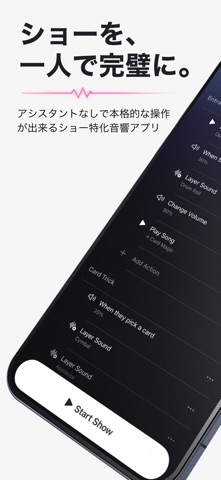
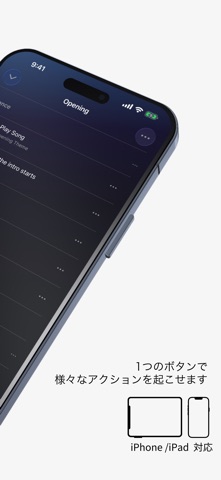
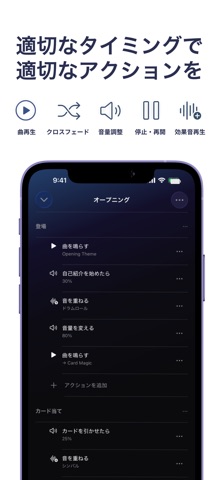
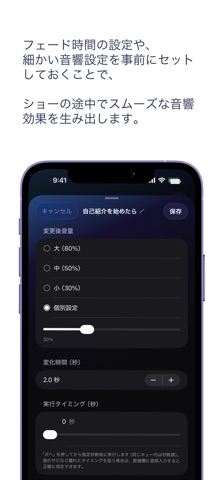
OneCue is a show audio app for performers who run the show alone — magicians, street performers, dancers and MCs. During a show you are performing. You do not have time to look at a screen. With OneCue, one press of Next on a Bluetooth remote plays the next song, fires a sound effect, changes the volume or stops the music — in the order you set. ■ Preparing is just lining things up Put what happens in order, from top to bottom, and your show is ready. - Play Song (including a crossfade from the current song) - Layer Sound (a sound effect over the music, without stopping it) - Change Volume (drop it while you talk, then bring it back) - Stop Song - Pause / Resume Group them into parts, one per routine, so even a long show stays easy to read. ■ No need to watch the screen Show mode is built for one glance in a dark venue: a black screen with the song playing now and what happens next. Tapping anywhere on the screen also advances, so you can hit it by feel. ■ Recover when the show goes off script Shows do not always run in order. Open the cue list and jump straight to the point that matches what you are doing now. ■ Name cues in your own words Write your own trigger, like "When they pick a card", for the ones that are hard to remember. Leave the obvious ones unnamed. ■ Volume presets per venue Set High / Medium / Low once and reuse them across the show. ■ OneCue Pro (one-time purchase) The free version holds one cue sheet with up to 15 actions. Upgrading to OneCue Pro gives you: - Unlimited cue sheets and actions - iCloud sync between iPhone and iPad It is a one-time purchase, not a subscription. Note: a Bluetooth remote that sends the media "next track" signal gets the most out of OneCue, but you can use the app with screen taps alone.
What's new · 1.4
- Redesigned the app. The cue sheet list is now a plain dark list, with each sheet marked by a small colored dot - Rebuilt show mode: less on screen and larger type, so one glance in the dark tells you where you are - Simplified actions to five kinds. Crossfade is now an option of Play Song, and the old Fade Out is now Stop Song - Added English - Reworked the iPad layout (larger type in show mode, tidier margins in landscape) - Rebuilt the first-run walkthrough to match the current screens - Fixed a bug that kept the OneCue Pro purchase from completing
Details