

VidEraser · Logo & Text Eraser
层 郭 · Utilities
Independent analytics for this App Store listing. AppTracker is not affiliated with 层 郭.
Chart standing · US
What changed · US
Listing changes AppTracker has observed for this app in this storefront — new versions, price moves, rating shifts, and store copy.
What's new: improved product experience & fixes for some known issues.
Price & rating history · US
Reconstructed from the listing changes AppTracker has observed in this storefront. A field is charted once it has changed more than once, and each line starts at the value it moved from.
Average rating · ★ 4.83 now · 6 changes on record
Ratings breakdown · US
The star breakdown behind this app's rating in this storefront.
Screenshots

About
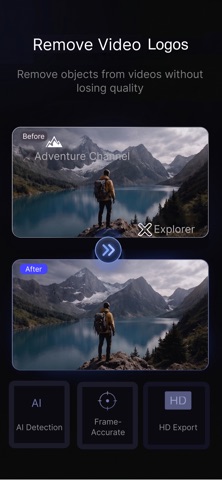
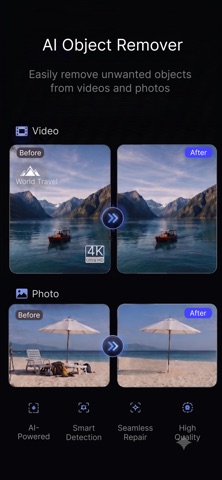
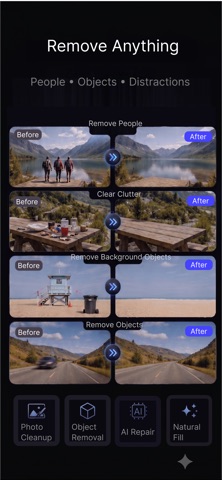
VidEraser is an AI-powered editing tool for videos and photos. Remove unwanted watermarks, logos, text, subtitles, timestamps, and AI-generated labels from content you own or are authorized to edit. Select your media, mark the area to erase, choose a processing mode, and export the result while preserving the original resolution. WHO IT'S FOR · Creators cleaning up their own vlogs, tutorials, and product demos · Social media editors removing unwanted overlays, timestamps, subtitles, or corner logos from authorized content · AI-generated content: remove tool labels, interface overlays, or unwanted text from content you created · Product photos: erase unwanted text, logos, timestamps, or labels · Re-editing: adjust the selected area and process it again when the first result needs improvement KEY FEATURES · Remove static and moving watermarks or logos with AI tracking · Erase text and subtitles, including captions, timestamps, and scrolling text · AI photo retouch brush for unwanted logos, text, labels, and marks · Multiple processing modes for static overlays, moving overlays, text, subtitles, and full-frame cleanup · Reprocess content after updating the selected area · Preserve the original resolution when exporting · Subscription plans and pay-per-use packs available through In-App Purchase SUBSCRIPTIONS Auto-renewable subscriptions are managed through your Apple ID. You can cancel anytime in Settings → Apple ID → Subscriptions. Important: You may only process videos and photos that you own or are authorized to edit. Do not use this app to remove copyright notices, ownership marks, trademarks, or other rights-management information from content without permission, or to infringe copyrights, trademarks, or other rights.
What's new · 1.1.7
What's new: improved product experience & fixes for some known issues.
Details