

Wheel Wize
Salforge Incorporated · Education
Independent analytics for this App Store listing. AppTracker is not affiliated with Salforge Incorporated.
Chart standing · US
Screenshots




About
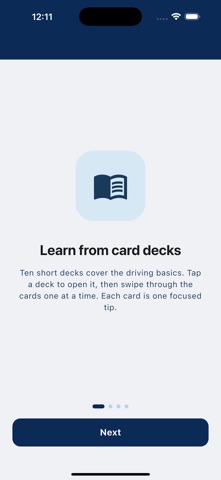
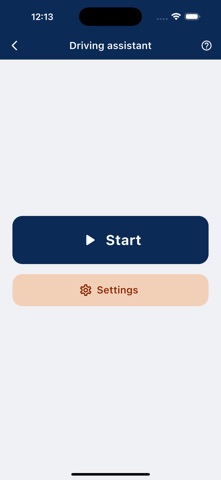
Learn the driving rules that actually matter, in short cards you can get through in a few minutes. Wheel Wize breaks safe driving into ten decks of ten cards. Each card gives you one idea: a title, a one-line takeaway, a short explanation, and a diagram. No long chapters, no quizzes to grind through. Just the things experienced drivers do without thinking, explained clearly enough that you can start doing them too. WHAT'S INSIDE Before you drive: the setup habits that make every trip safer, done before you leave the driveway. Intersections: how to handle the most common types, from four-way stops to unprotected lefts. Lane changes and mirrors: the order of checks, the signals, and the trucks to watch for. Speed and following distance: how fast to go, how much space to leave. Highway driving: speed, lane choice, and habits for the long road. Roundabouts: entering, driving through, and exiting the thing that confuses new drivers most. Parking: parallel, perpendicular, on hills, and the habits that protect your car. Sharing the road: pedestrians, cyclists, motorcycles, and trucks. Emergencies: sirens behind you, a breakdown, or something going wrong on the road. Weather and visibility: rain, snow, fog, and night driving. Content focuses on rules that apply across the US and Canada. THE DRIVING ASSISTANT Knowing the rules is one thing. Remembering them at 60 mph is another. The optional driving assistant runs in the background while you drive and gives you a gentle nudge every few seconds to check your mirrors. You set the interval and the intensity. It also watches for hard braking and hard acceleration using your phone's motion sensors, and gives you a distinct alert pattern when it catches one. Over time you notice the pattern in your own driving. The assistant is built to stay out of your way. It keeps working with the screen off, and it pauses itself automatically when your car is stopped, so you are not getting buzzed at a red light. Mount the phone, start the assistant, and put it out of your mind. PRIVACY Your location never leaves your device. It is used only to tell whether the car is moving. There are no accounts to create and nothing to sign up for. Your progress and settings stay on your phone. GETTING ACCESS The first deck is free. The rest of the decks and the driving assistant unlock by watching a short video. A NOTE ON SAFETY Wheel Wize is a learning tool and a habit aid. It is not a substitute for attentive driving, formal instruction, or your local traffic laws, which always take precedence. Never interact with your phone while driving. Set up the assistant before you move.
Details