

Mark My Route - Save Journeys
Chaleepa Mallawa · Navigation
Independent analytics for this App Store listing. AppTracker is not affiliated with Chaleepa Mallawa.
Chart standing · US
In-app purchases · US
What this app sells inside itself, grouped by kind and priced for this storefront.
Screenshots

About
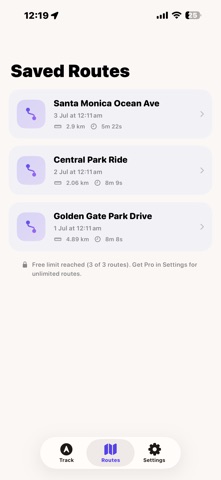
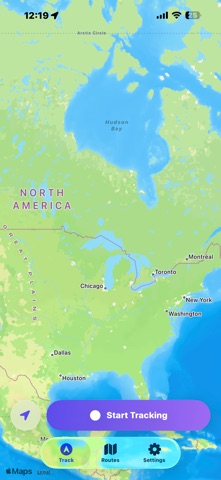
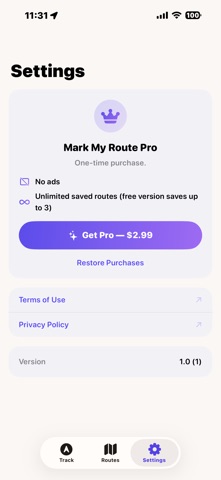
Mark My Route records exactly where you go. Start tracking, and your route draws live on the map as you drive, ride or walk - captured with navigation-grade GPS that keeps up even at driving speeds. HOW IT WORKS 1. Tap Start and go - the map follows you as your route is drawn 2. Pause and resume whenever you need a break 3. Tap Stop, name your route, and it's saved on your iPhone BUILT FOR REAL JOURNEYS - Navigation-grade GPS tuned for driving, so curves and turns are captured faithfully - no straight-line shortcuts - Keeps recording in the background while you use other apps (only while tracking, with the standard blue indicator) - Live stats while you track: distance, time, current speed and GPS points - GPS signal quality indicator so you know the fix is good before you set off YOUR ROUTES, SAVED - Every saved route shows the full path on the map - Distance, duration, average speed and point count for each journey - Rename or delete routes at any time - Routes are stored on your device - no account needed MARK MY ROUTE PRO (ONE-TIME PURCHASE) The free version lets you save up to 3 routes and shows occasional ads. Upgrade to Pro once and forever: no ads, and unlimited saved routes. Perfect for remembering a scenic drive, logging a daily commute, retracing a bike ride, or keeping a record of your travels.
Details