

PaperBridge: Document Scanner
LiChuan Lin · Utilities
Independent analytics for this App Store listing. AppTracker is not affiliated with LiChuan Lin.
Chart standing · US
Screenshots



About
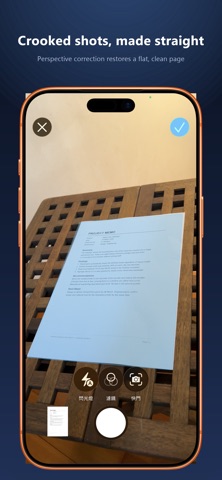
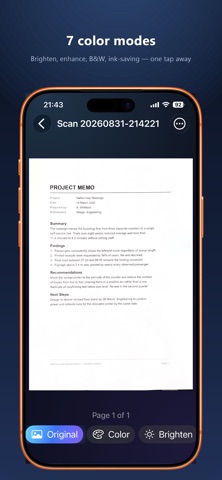
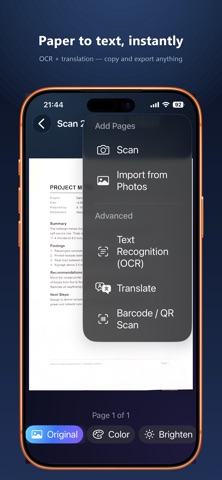
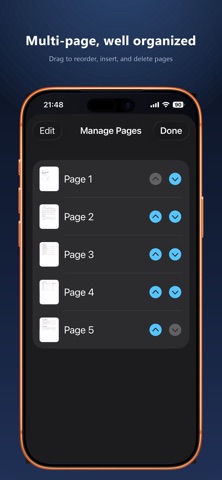
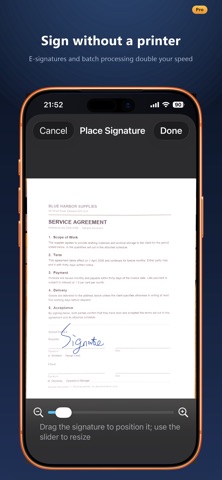
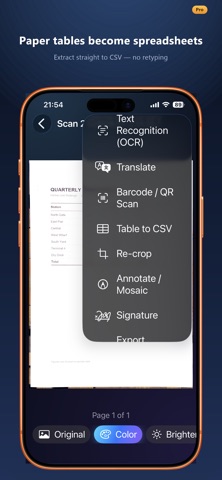
PaperBridge is a privacy-first document scanner. Scanning, recognition, organizing, and export all happen on your device — nothing is ever uploaded to a server. SCAN & ORGANIZE • Auto edge detection and perspective correction; photo imports are auto-cropped too • ID card mode (front & back on one A4), book mode with page splitting, PDF import • 7 filters: brighten, sharpen, grayscale, black & white, ink-saving, and more • Folders, tags, business card holder, full-text search, and Spotlight integration RECOGNITION & AI • Multilingual OCR with searchable PDF export (embedded text layer) • Translate documents into 17 languages, fully on-device • Apple Intelligence (supported devices): smart naming, summaries, receipt/invoice field extraction • Business card to contact, table to CSV, barcode/QR recognition EXPORT & PROTECT • PDF/JPG/PNG/long image export with watermark, page numbers, and PDF password • N-up printing (1/2/4 pages per sheet) via AirPrint • E-signature, annotation, and mosaic redaction • Face ID app lock, folder lock, 30-day trash • iCloud sync, Home/Lock Screen quick-scan widget, Siri Shortcuts ONE-TIME PURCHASE, NOT A SUBSCRIPTION Core scanning is free with no page limits. A single Pro purchase unlocks every advanced feature forever — no ads, no tracking, no subscription. Your documents belong to you. Only you.
What's new · 1.1
NEW: EXPORT BUSINESS CARDS TO A SPREADSHEET (Pro) Turn a whole stack of business cards into a spreadsheet — perfect for building a client list or importing into your CRM. • One card per row, with columns for Name, Company, Job Title, Phone, Mobile, Fax, Email, Website, Address, and Source Document • Export one document: document menu → Advanced → Export Business Cards to Excel • Export all your cards at once: tap the table button at the top right of Business Cards • Preview before you export, and swipe to delete any row that was misread • Creates a standard .xlsx spreadsheet that opens in Excel or Numbers — leading zeros and + signs in phone numbers stay intact, and the header row is bold and frozen • Chinese, Japanese, and Korean addresses keep their native largest-to-smallest order; logo-only card backs are skipped automatically • Uses the same recognition as Export Business Card to Contacts; on Apple Intelligence devices, names, companies, and job titles are identified by on-device AI As always, all recognition happens on your device. Nothing is ever uploaded.
Details