

SoloPDF
向东 李 · Productivity
Independent analytics for this App Store listing. AppTracker is not affiliated with 向东 李.
Chart standing · US
What changed · US
Listing changes AppTracker has observed for this app in this storefront — new versions, price moves, rating shifts, and store copy.
• Import annotations made in other apps: highlights and notes from Acrobat, Preview or PDF Expert become SoloPDF notes in one tap • Compare two versions: pages aligned, word-level insertions, deletions and changes; read two documents side by side • PDF attachments and layers: open embedded files; toggle layers in drawings and maps • Reading ruler and magnifier; copy a BibTeX / APA / GB/T 7714 citation • New formats: FB2 e-books and multi-page TIFF; search inside books • Ask AI (off by default): summaries and questions with page citations you can tap; uses a service you configure, including a model on your own computer
In-app purchases · US
No in-app purchases.
Screenshots



About
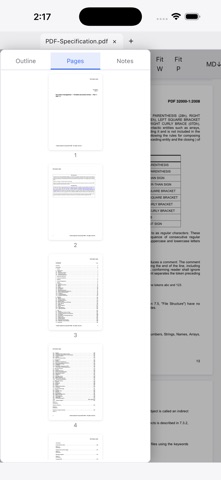
SoloPDF is a clean, fast, fully local PDF reader — no ads, no account, nothing ever uploaded. • Reading: multiple tabs, outline, page thumbnails, full-text search, fit-width/fit-page zoom. Huge files open instantly thanks to on-demand loading. • Highlights become notes: highlight any text and the annotation is saved as a Markdown notes file (.annotations.md) right next to the PDF — open, edit, and version it with any editor (including our SoloMD). solopdf:// links inside the notes jump straight back to the highlighted passage. • Forms: fill AcroForm PDFs (text fields, checkboxes, dropdowns) and save the result. • Export to Markdown: turn a whole PDF into a Markdown document, outline headings included. • Dark mode with smart page inversion for comfortable night reading. • Interface in English, 简体中文, 繁體中文, and 日本語. Everything runs on your device. No network calls, no data collection.
What's new · 0.8.0
• Import annotations made in other apps: highlights and notes from Acrobat, Preview or PDF Expert become SoloPDF notes in one tap • Compare two versions: pages aligned, word-level insertions, deletions and changes; read two documents side by side • PDF attachments and layers: open embedded files; toggle layers in drawings and maps • Reading ruler and magnifier; copy a BibTeX / APA / GB/T 7714 citation • New formats: FB2 e-books and multi-page TIFF; search inside books • Ask AI (off by default): summaries and questions with page citations you can tap; uses a service you configure, including a model on your own computer
Details