

LockTimer
Yuki Mishima · Productivity
Independent analytics for this App Store listing. AppTracker is not affiliated with Yuki Mishima.
Chart standing · US
What changed · US
Listing changes AppTracker has observed for this app in this storefront — new versions, price moves, rating shifts, and store copy.
• Improved the reliability of in-app purchases • Improved the appearance of some screens
Screenshots



About
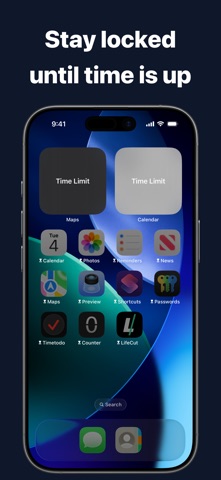
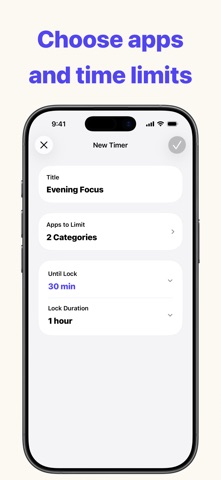
LockTimer lets you choose how long apps remain available and how long they stay locked afterward. Instead of blocking apps immediately, set a limited amount of time to use them first. When time is up, the selected apps lock automatically. Access returns when the lock duration ends. Use it before bed, during breaks, before work, or whenever you want to step away from your phone after using it briefly. How It Works 1. Choose the apps to lock 2. Set the time until lock 3. Set the lock duration and start the timer You can also create schedules that lock apps automatically on selected days and times. Timers take priority while running, and active schedules resume afterward. Features • Set the time until apps lock • Set the lock duration • Choose apps to lock • Create schedules by weekday and time • View the remaining lock time • Check timers with Live Activity • Manage multiple timers and schedules The free version lets you create up to two timers and start one timer per day. Pro removes timer creation and daily start limits and enables schedules. Terms of Use https://apps.mishimadesign.com/locktimer/legal.html#terms-en
What's new · 1.0.3
• Improved the reliability of in-app purchases • Improved the appearance of some screens
Details