

Pagelet - Delete PDF Pages
Jhomar Maravillas · Utilities
Independent analytics for this App Store listing. AppTracker is not affiliated with Jhomar Maravillas.
Chart standing · US
What changed · US
Listing changes AppTracker has observed for this app in this storefront — new versions, price moves, rating shifts, and store copy.
Now free to use: convert and see your result first. Unlock only when you want to save or share it.
Screenshots



About
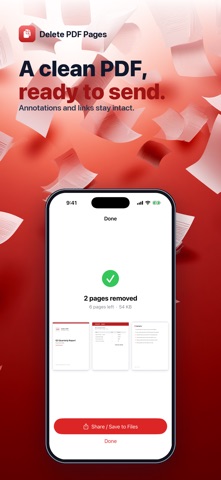
Got a PDF with pages you don't need — a cover sheet, blank pages, a whole section you want to drop? Delete PDF Pages removes them in seconds, right on your iPhone. Open a PDF, tap the pages you want to remove, and save a new, smaller file. That's it. No subscription PDF editor, no sign-up, no cloud. WHAT IT DOES • See every page in a grid and tap the ones to delete. • A live count shows how many pages you'll keep. • Save the trimmed PDF, or share it straight to Files, Mail, or any app. KEEPS YOUR DOCUMENT INTACT The pages you keep stay exactly as they were — text, images, annotations, and links are all preserved. Nothing is re-rendered or flattened. PRIVATE BY DESIGN Everything happens on your device. Your documents are never uploaded, and there's no account to create. NO ADS. NO SUBSCRIPTION. Try it free, then unlock unlimited edits with a single one-time purchase of $4.99. Pay once and use it forever — no weekly fees, no ads, ever. Perfect for trimming scans, dropping blank or duplicate pages, splitting out a section, or cutting a long report down to just the pages that matter. Questions or feedback: overlapmarr@gmail.com
What's new · 1.0.3
Now free to use: convert and see your result first. Unlock only when you want to save or share it.
Details