

Audly - Extract Audio
Jhomar Maravillas · Photo & Video
Independent analytics for this App Store listing. AppTracker is not affiliated with Jhomar Maravillas.
Chart standing · US
What changed · US
Listing changes AppTracker has observed for this app in this storefront — new versions, price moves, rating shifts, and store copy.
Videos are now imported from your library in their original quality, so the audio is extracted from the original soundtrack.
In-app purchases · US
What this app sells inside itself, grouped by kind and priced for this storefront.
Screenshots


About
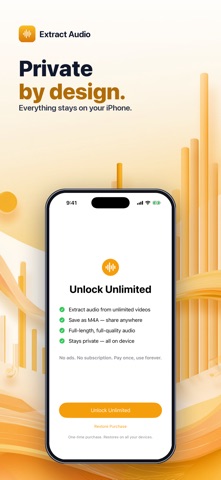
Some moments are worth keeping just for the sound — a song in a clip, a lecture, an interview, a voice memo buried in a video. Audly pulls the audio track out of any video and saves it as a clean M4A file you can share or keep. No ads. No subscription. Pay once and extract forever. • ANY VIDEO IN, AUDIO OUT — pick a video and Audly extracts its sound into a shareable M4A (AAC) file. • SEE IT FIRST — check the duration and file size before you extract, then preview the audio right after. • SHARE OR SAVE TO FILES — send it to Messages, Voice Memos, your Mac, or drop it straight into the Files app. • 100% ON DEVICE — every extract happens on your iPhone. Nothing is ever uploaded. • NO ADS, NO SUBSCRIPTION — the audio-extractor apps everyone knows are stuffed with ads or locked behind a weekly fee. This one isn't. Pay once and it's yours. Note: audio is saved as M4A / AAC — the native iPhone audio format — at full quality. Pay once ($4.99 to unlock unlimited extracts). No ads, no subscription, no account, no sign-up. Tap Select Video, tap Extract Audio, share or save. Done.
What's new · 1.0.4
Videos are now imported from your library in their original quality, so the audio is extracted from the original soundtrack.
Details